
Fitbit to stress-spike coping alerts: complete 2026 workflow
Set up Fitbit Lovon stress alerts as a manual coping routine. Check device support, choose a calm response, and know when to seek professional help.

Key Takeaways
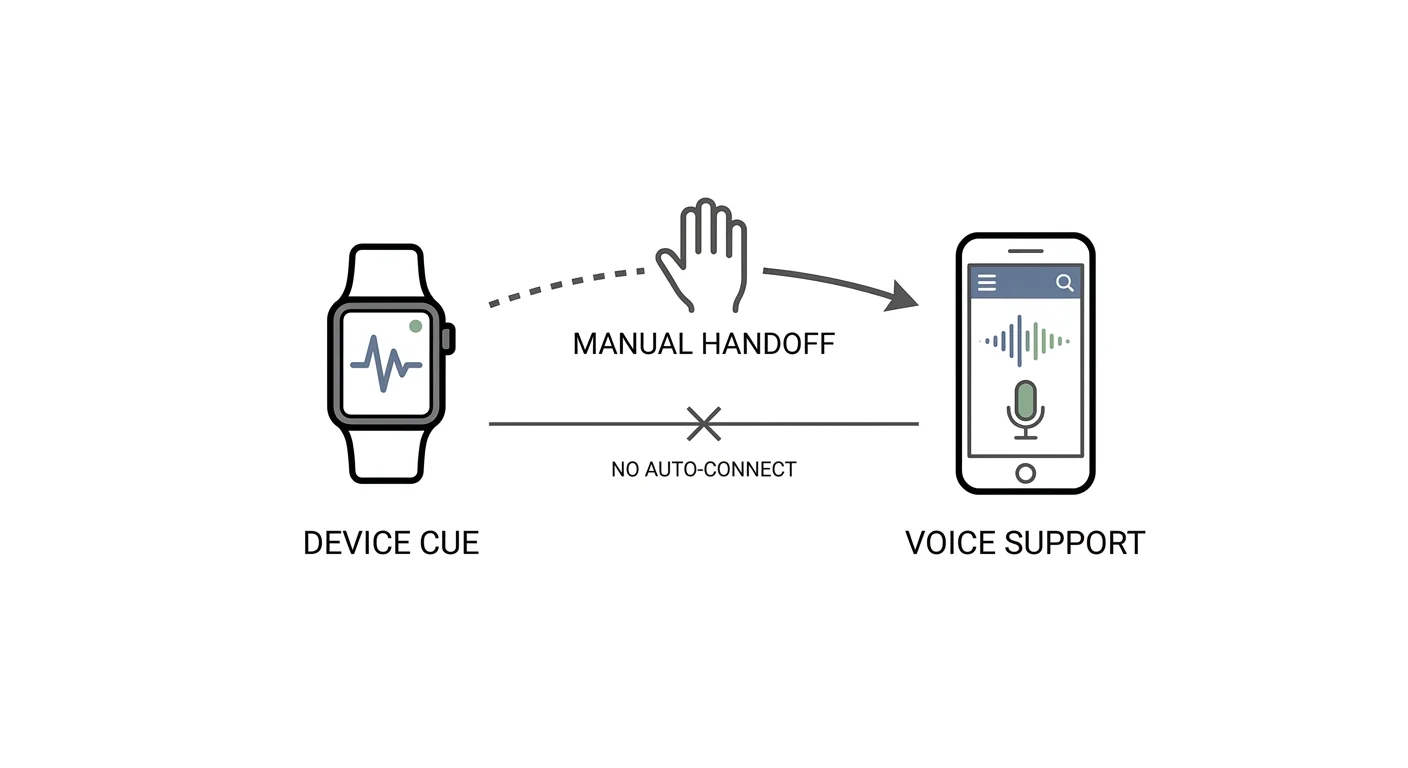
- For fitbit lovon stress alerts, use a manual handoff; a direct integration is not established here.
- Fitbit measurements provide context, not a diagnosis or proof that anxiety caused a change.
- Lovon is best for voice-based emotional support, not automatic Fitbit monitoring.
- Use a scheduled check-in if your device lacks a suitable alert or notifications increase worry.
Instead of repeatedly checking your Fitbit and deciding what to do next, use a supported device alert—or a scheduled check-in—as your cue to pause, then open Lovon yourself for voice-based emotional support. This 2026 guide explains that manual handoff; it does not describe a verified Fitbit-to-app connection or automatic session launch.
TL;DR
- For fitbit lovon stress alerts, use a manual handoff; a direct integration is not established here.
- Fitbit measurements provide context, not a diagnosis or proof that anxiety caused a change.
- Lovon is best for voice-based emotional support, not automatic Fitbit monitoring.
- Use a scheduled check-in if your device lacks a suitable alert or notifications increase worry.
Why this matters
A wearable notification and a coping response are separate things. The useful workflow connects them through a decision you control: notice the cue, check what is happening, and choose support when you want it.
A wearable alert is an invitation to check in, not a command to calm down. Physical activity, excitement, illness, and other factors can affect physiological measurements. A change does not identify its cause, and feeling distressed does not require a matching alert.
For your 2026 setup, keep the goal small: make your next helpful action easier to remember. Do not make a lower reading the condition for returning to your day.
Before you start
- Check device support first. Have your Fitbit device, its companion app, and account access ready. Use the official instructions for your exact model to establish whether it supports a relevant body-response notification. A stress-related summary is not necessarily a live alert.
- Prepare a private place to talk. Open the voice-support app separately and check that you can use its voice conversation feature. Review microphone access and the privacy information before sharing sensitive details.
- Expect a manual handoff. Do not assume a Fitbit notification can pass measurements into another app or start a conversation. This workflow keeps those actions separate, and you choose whether to share any context aloud.
Lovon is best for people seeking on-demand voice-based emotional support, not wearable monitoring or clinical diagnosis. It is not a licensed clinician and does not replace licensed clinical care.
Choose your alert route
Choose the route your device actually supports, rather than the route an integration headline suggests. These are alternative ways to start the same coping routine, not separate treatment options.
| Workflow | Best for | Main benefit | Main limitation |
|---|---|---|---|
| Supported device alert, then manual check-in | People whose Fitbit model offers a relevant notification | Provides a device-generated cue | Does not establish the cause of a physiological change |
| Scheduled check-in, then optional voice support | People without a suitable device alert | Does not depend on wearable alert support | Requires choosing and maintaining a reminder |
| Self-noticed stress, then optional voice support | People who find wearable checking unsettling | Responds to your experience directly | Requires noticing your own early signs |
Start with the least intrusive route that helps you act. More notifications are not automatically more support. If alerts encourage repeated checking, use a scheduled or self-noticed cue instead.
Device alert configuration
This unit establishes what your Fitbit can do before you build a routine around it. Fitbit interfaces and feature support differ by model, so use the exact setting names in your device's official instructions rather than looking for a universal stress-alert switch.
- Identify your model. Check the device information in your companion app or the device documentation. Use that model name when finding its official help instructions.
- Verify the notification type. Establish whether the model offers body-response notifications, a stress-related summary, or neither. Do not treat a high-heart-rate notification as an anxiety detector.
- Enable only a supported feature. If the official instructions describe a relevant notification, follow those instructions to turn it on. If they do not, move to the scheduled-check-in variant below.
- Review delivery conditions. Check the documented requirements for wearing the device and receiving its notifications. Also review notification-silencing settings that affect delivery.
- Write down the boundary. Use a simple note: device notification first; personal check-in second; optional voice support third. No automatic data transfer is part of this setup.
Expected result: You know which notification your device supports, or you have chosen the reminder variant. You are not relying on an assumed integration.
For a 2026 workflow, verify support against your current device documentation. A feature described for another model is not evidence that your device has it.
Personal check-in configuration
Decide what the cue means before it arrives. The response should be easy to remember, especially when your attention is already stretched.
- Notice the cue. When an alert arrives, wait until you are somewhere safe to respond. Do not interact with your phone while driving or operating equipment.
- Check the context. Ask what you were doing: exercising, rushing, arguing, concentrating, or resting. Treat the reading as context rather than an explanation.
- Name your experience. Identify what you actually notice, such as a tense jaw, racing thoughts, frustration, or no distress at all. You do not need to agree with the alert.
- Choose support. If you want help reflecting or choosing a coping tool, open the voice-support app yourself. If you feel fine, dismiss the cue and continue your day.
- Choose one next action. Consider loosening your shoulders, noticing the room around you, taking a comfortable breath, or stepping away from a demanding task when practical.
Expected result: The cue leads to a choice, not an obligation. You can respond without diagnosing yourself or repeatedly checking whether the device reading has changed.
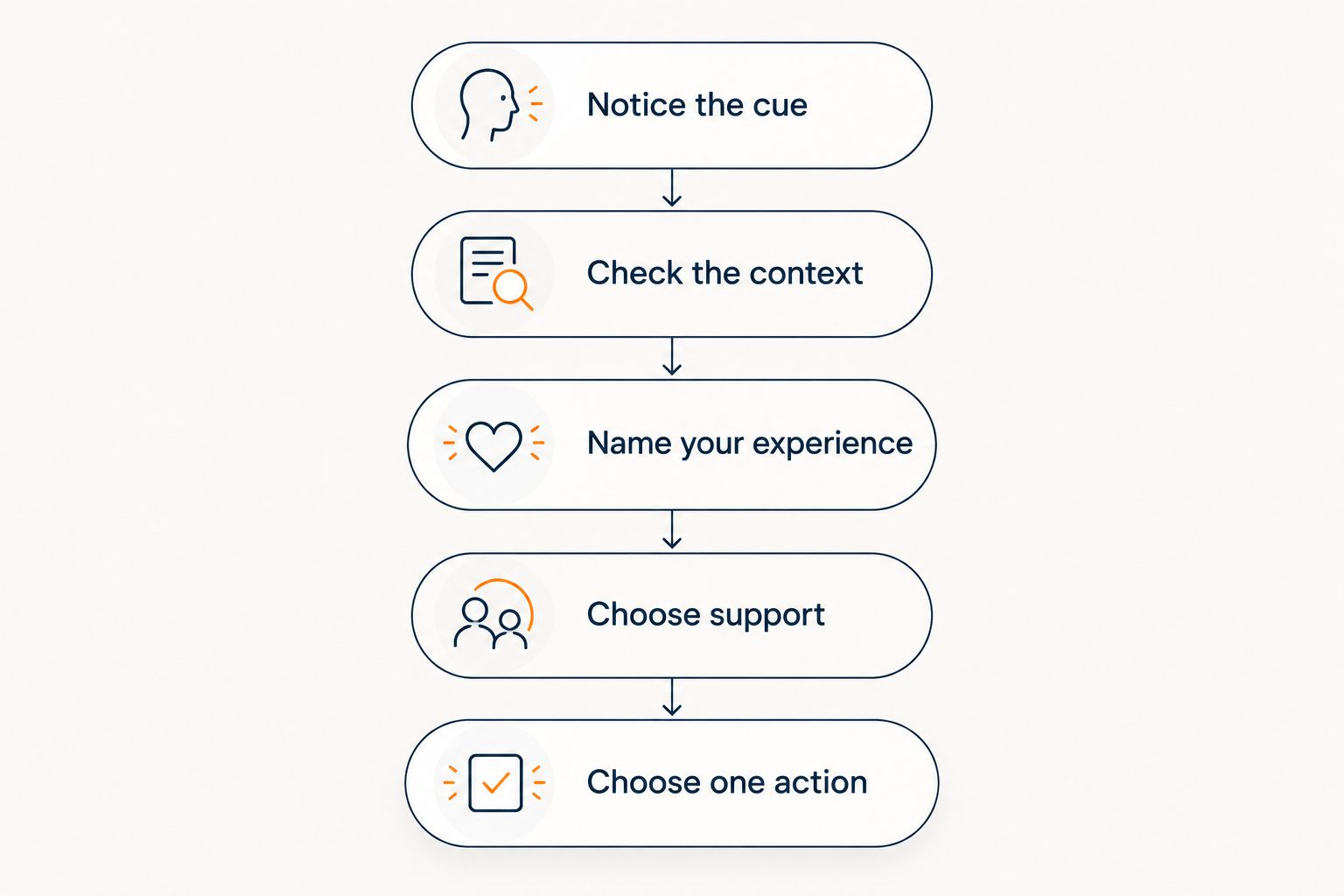 A sequence from noticing a wearable cue to choosing support and a practical next action.
Check your experience before deciding whether you want support.
Use a suggested 30-second pause for the context check if a time boundary helps. That is an organizational choice, not a medically established response time, and you can skip the timer entirely.
Voice-support handoff
The handoff is a conversation you start, not a background process. Lovon provides voice-based emotional support and coping tools; this workflow does not establish that it receives Fitbit measurements.
- Open the app manually. Start a voice conversation using the controls available in your installed version. Do not search for a Fitbit connection setting as part of this guide.
- Describe your situation. Say what happened just before the cue and how you feel now. Share only the details you want to discuss.
- Ask for a narrow kind of help. Request a grounding exercise, help naming a feeling, or support choosing a manageable next step. Avoid asking the app to explain a medical symptom from wearable data.
- Keep your own judgment. Decline or stop an exercise that feels uncomfortable. If focusing on breathing increases discomfort, choose an external focus, such as describing objects around you.
- Finish with a practical action. Decide whether to return to your task, take a break, contact someone supportive, or arrange professional help.
Expected result: You have discussed your experience and chosen an action. A lower heart rate, a changed score, or complete relief is not required for the conversation to be useful to you.
A suggested opening prompt is: Help me check in with how I feel and choose one manageable next step. This is wording for you to use, not a claim about a preset feature.
Workflow test and review
Test the parts you control without trying to manufacture a stress response. You do not need to exercise, hold your breath, or provoke anxiety to validate the routine.
- Rehearse the handoff. Imagine receiving a cue, put down what you are doing safely, and open the app yourself. Confirm that the transition makes sense.
- Try a brief conversation. Set aside a suggested 2-minute practice window to describe an ordinary concern. This checks the practical routine, not treatment effectiveness.
- Check privacy. Make sure you are comfortable with what others can hear and what notification previews reveal. Review account and device privacy settings separately.
- Review the burden. After a suggested 7-day trial, ask whether the routine helped you choose useful actions or simply increased checking. Shorten or remove it if it feels demanding.
Expected result: Your 2026 setup is practical, private enough for your circumstances, and easy to stop. The trial period is a planning suggestion, not evidence of a mental health outcome.
Use a scheduled check-in instead
A scheduled check-in is the adjacent workflow when live alerts are unavailable or unhelpful. It preserves the coping routine without requiring a wearable event.
- Choose an existing transition, such as finishing work or arriving home.
- Create a reminder with neutral wording, such as Pause and check in. Use your reminder app's current scheduling controls.
- When it appears, ask how you feel before looking at wearable information.
- Open voice support only if you want a conversation. Otherwise, choose a small action and continue.
- Adjust or remove the reminder if it becomes another task you dread.
Expected result: You have a predictable opportunity for support without depending on Fitbit alert compatibility.
For 2026, keep this fallback available even if you use device notifications. You do not need a wearable's permission to ask for help, and a quiet device does not invalidate a difficult day.
Troubleshooting
Your device has a score but no relevant alert
A summary and a notification serve different purposes. Check the official model documentation; if a live notification is not supported, use the scheduled-check-in workflow rather than searching for an undocumented switch.
A supported notification does not appear
Check that the feature is enabled and review its documented wearing and delivery requirements. Also check notification-silencing settings. Do not assume that no notification means no stress, or try to force an event to test it.
The alert arrives during exercise or excitement
Check the context before assigning meaning. Physiological changes do not identify an emotion by themselves; dismiss the cue when support is unnecessary, and seek medical advice for concerning symptoms rather than attributing them to stress.
The voice conversation does not start automatically
That is outside this workflow. Open the app yourself; there is no verified automatic launch, measurement transfer, or Fitbit-triggered session established here. Do not share credentials with an unofficial connector to create one.
The routine makes you check your body repeatedly
Pause the alert-led routine and stop using readings as reassurance. Choose a scheduled check-in without reviewing measurements, or discuss the checking pattern with a licensed mental health professional if it is interfering with daily life.
Customize your workflow
Customize the coping response before adding more triggers. Choose one tool you are comfortable using and keep it easy to recall. The guide to AI coping tools for anxiety provides a deeper starting point for that part of the routine.
Keep the benefits and limits separate. Lovon offers a place to talk through everyday stress and explore coping tools, but it is not a clinician, medical monitoring service, or substitute for treatment. The manual handoff also means you must choose to open it.
If stress repeatedly disrupts sleep, work, relationships, or daily functioning, seek support from a licensed professional. New or severe chest pain, fainting, or serious breathing difficulty needs urgent medical attention, not an app session. In the United States, call 911 for an immediate medical emergency; call or text 988 for suicide or mental health crisis support.
FAQ
Can I connect Fitbit directly to Lovon for stress alerts?
A direct Fitbit-to-Lovon connection is not established in this guide. Use a supported device notification as a cue, then open the voice-support app manually; do not assume measurements transfer between them.
Does every Fitbit support stress-spike notifications?
No; notification support depends on the device model and feature. Check your exact model's official instructions, because a stress-related summary is not the same as a live notification.
Can a Fitbit notification tell me I am having an anxiety attack?
No; a wearable notification cannot establish that you are having an anxiety attack. Check your experience and circumstances, and seek medical help for new, severe, or concerning symptoms.
What if I feel stressed but my Fitbit does not alert me?
You can seek support without a device alert. Use your own experience as the cue, or create a scheduled check-in that does not depend on wearable measurements.
Should I set a heart-rate threshold for anxiety?
Do not use a self-selected heart-rate threshold to diagnose anxiety. Heart rate changes for many reasons; discuss concerns about readings or symptoms with a qualified healthcare professional.
Will the workflow start a voice session automatically?
No; this workflow uses a manual handoff. You decide whether to open the app and what context to share, and no automatic launch or data transfer is established here.
What should I do if stress notifications make me more anxious?
Pause the alert-led routine and use a scheduled or self-noticed check-in instead. If checking readings becomes difficult to stop or disrupts daily life, discuss it with a licensed mental health professional.
One last thing
The most useful endpoint is not a perfect reading. It is a decision you can live with: take a break, return to a task, ask for support, or seek care. Write that decision down if helpful, then leave the dashboard alone.
Related guides
How AI Support Helps You Heal
AI emotional support isn't about replacing human connection — it's about filling the gaps. The moments when you need to talk at 2 AM, when you don't want to burden your friends again, or when you simply need someone to listen without judgment.
Here's what happens in a typical Lovon session:
You share what's on your mind
There's no script, no intake form, no waiting room. You speak or type whatever you're feeling — in your own words, at your own pace.
Lovon validates and explores
Using frameworks from CBT (Cognitive Behavioral Therapy) and motivational interviewing, Lovon acknowledges your feelings first, then gently helps you explore them. No dismissive "just move on" advice.
You build coping skills together
Lovon doesn't just listen — it actively works with you on evidence-based techniques: thought reframing, urge surfing, behavioral experiments, and more.
What a Session with Lovon Looks Like
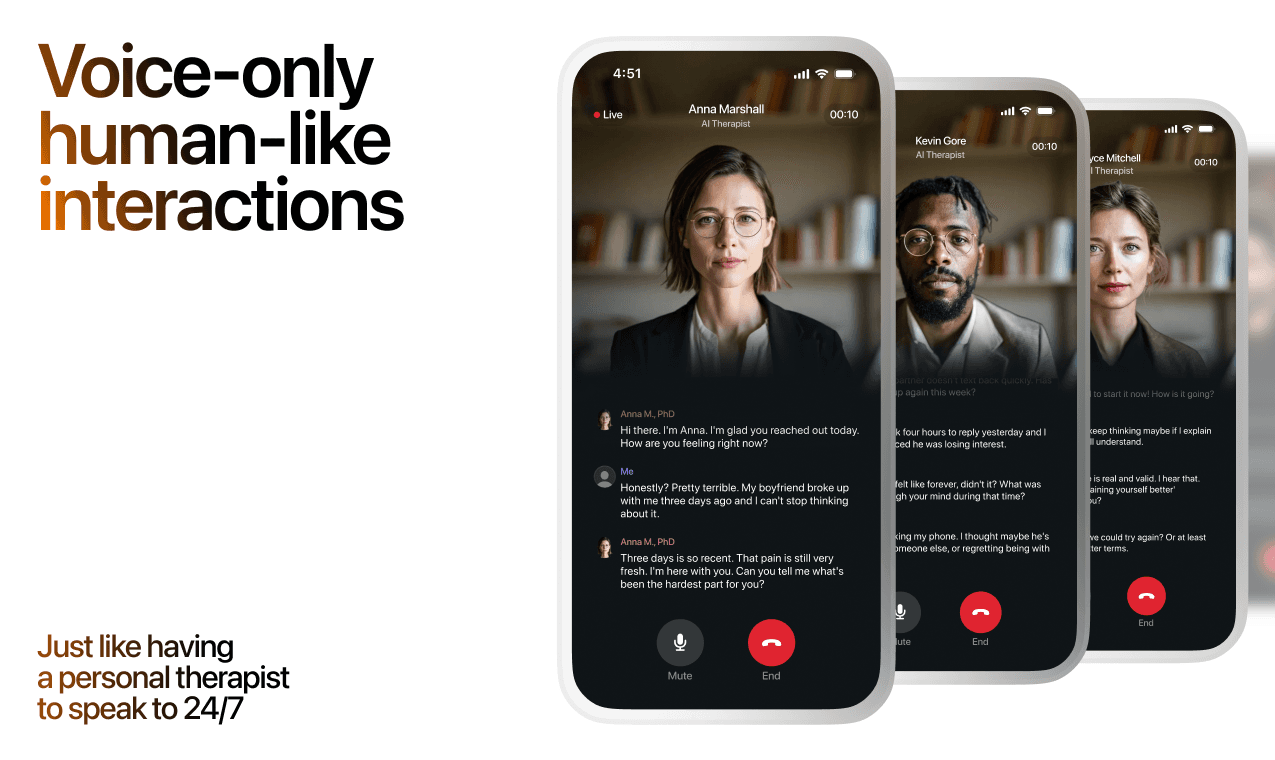
Lovon is AI support, not a replacement for professional care. If things have been hard to get through for weeks, or you are thinking about harming yourself, talk to a doctor or a licensed therapist.
Ready to Start?
Your healing journey can begin right now
A 7-day trial. No judgment. Just a safe space to process what you're going through.
Frequently Asked Questions
Is Lovon a replacement for a real therapist?
Is my conversation with Lovon AI private?
How is Lovon different from ChatGPT for emotional support?
Can I use Lovon if I'm already seeing a therapist?
Can I try Lovon before subscribing?
About the Author

The Lovon Editorial Team
Mental Health & Wellness Content Team
The Lovon Editorial Team develops mental health and wellness content designed to make psychological concepts accessible and actionable. Our goal is to bridge the gap between clinical research and everyday life - helping you understand why your mind works the way it does and what you can do about it....
Related articles
- How to Stop Worrying About What You Can't Control (2026)
Learn how to stop worrying about things you cannot control with 7 concrete steps, from sorting worry to scheduled worry…
- How long does it take to break a bad habit?
How long does it take to break a bad habit? There is no fixed deadline. Learn what research shows, how to change…
- Automatically start a Lovon session when your heart rate spikes
A Lovon Apple Watch heart rate trigger uses iOS Shortcuts automation to open Lovon the moment your heart rate spikes, no…
- AI mental health support for startup founders: complete 2026 guide
Mental health support for startup founders: use AI for reflection, not clinical care. Build a practical plan for stress…
See also
Quizzes
- Impulsivity Test: Do You Act Before You Think?
See which kind of impulsivity shows up in your month.
- Digital Stress Test: Texting, Likes and Read Receipts
See which part of being online wears on you, in 3 minutes.
Free tools
- What to Say to Someone Who Is Grieving
Get sentences that fit this person and this week, not a list of things people say at funerals. Describe who they lost…
- Write a Condolence Message for This Person
Get one condolence message written for your situation instead of a list of a hundred to choose from. Tell it who died…
From the wiki
- What does it mean when you dream about your ex?
Dreaming about your ex usually reflects emotional processing, not prophecy and not a message from them. Your sleeping…
Disclaimer: This article is for informational purposes only and does not constitute medical advice, diagnosis, or treatment. Always seek the advice of your physician or other qualified health provider with any questions you may have regarding a medical condition. If you are in crisis or think you may have an emergency, call 988 (Suicide & Crisis Lifeline) or go to the nearest emergency room. Outside the US? Find a crisis line in your country.