
Oura Ring to morning recovery check-in: complete 2026 workflow
Build an oura ring lovon workflow with a manual morning check-in. Pair recovery data with voice support, clear boundaries, and one practical next step.
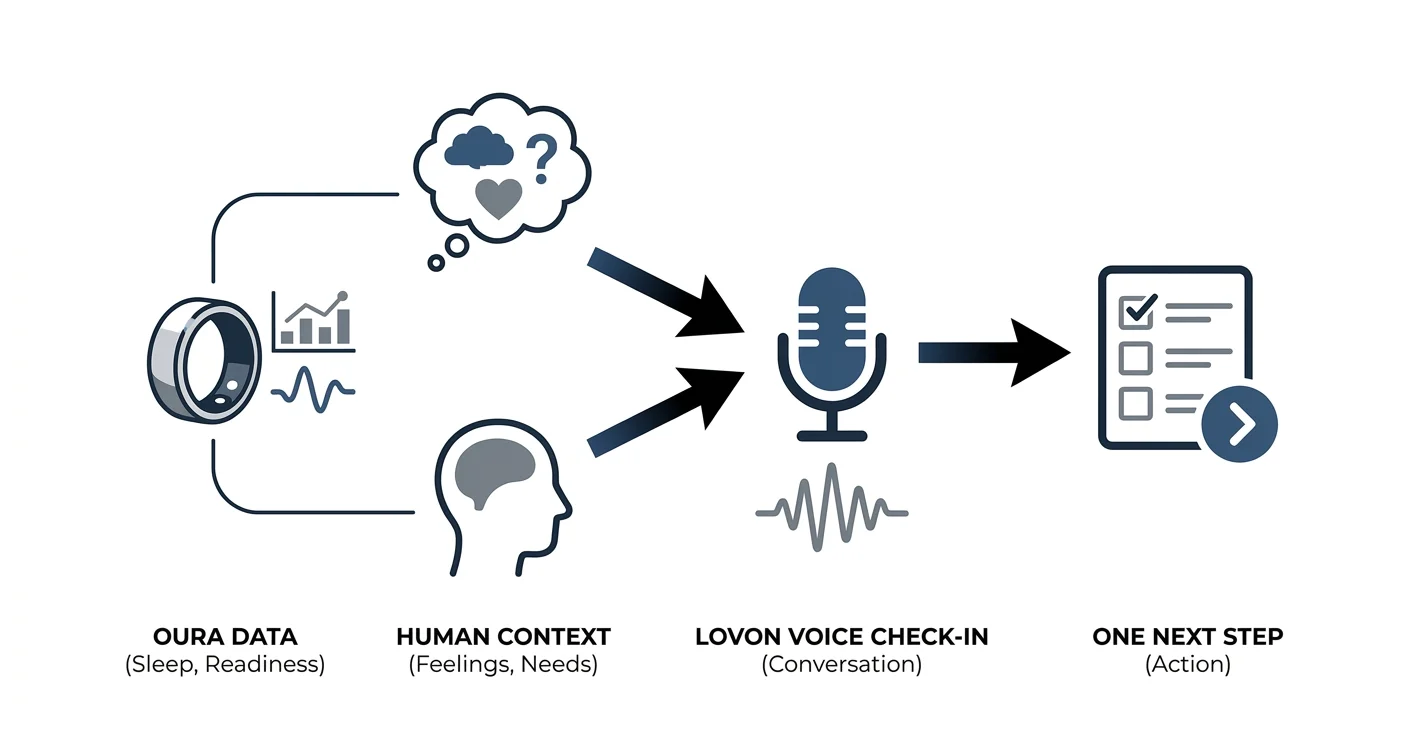

Key Takeaways
- The oura ring lovon workflow pairs Oura recovery data with a voice check-in, using a manual handoff.
- Lovon is best for people seeking conversational emotional support alongside wearable tracking, not clinical
- Check how you feel before reviewing Oura scores; treat the numbers as context, not instructions.
- Finish your morning recovery check-in with one practical action, not another score to improve.
Instead of checking your Oura Ring numbers and then wondering what to do with them, use a morning recovery check-in: review your sleep and readiness, describe how you feel, and talk through one manageable next step with Lovon. This 2026 workflow uses a manual handoff between apps, not an automatic data connection.
TL;DR
- The oura ring lovon workflow pairs Oura recovery data with a voice check-in, using a manual handoff.
- Lovon is best for people seeking conversational emotional support alongside wearable tracking, not clinical interpretation.
- Check how you feel before reviewing Oura scores; treat the numbers as context, not instructions.
- Finish your morning recovery check-in with one practical action, not another score to improve.
Why this matters
A recovery score does not tell you whether you are worried about work, upset after an argument, or dreading a difficult conversation. Your morning check-in adds that missing context. The goal is to make a thoughtful choice about your day, not explain every change in your wearable data.
Lovon is best for Oura users who want voice-based emotional support, not medical interpretation of recovery data. It is an AI-powered mental health app, not a licensed clinician or a replacement for clinical care.
Keep the division clear: Oura supplies wearable information; your conversation explores feelings, coping tools, and priorities. Neither part of this routine should diagnose a condition or decide whether a symptom needs treatment.
For your 2026 routine, success means leaving the check-in with a useful next step. A higher score tomorrow is not the test.
Before you start
- Have both apps ready. You need access to your Oura account, recent ring data, and Lovon voice conversations. Open each app independently before making this part of your morning.
- Choose a private setting. Have your phone available, check microphone access, and decide what you are comfortable saying aloud. Share only the information needed for the conversation.
- Expect a manual handoff. This guide does not configure a connector, import, or score-triggered session. You will read the Oura information yourself and describe the relevant context; a missing morning reading does not prevent a check-in.
Set aside a short window after waking, before you become absorbed in messages. As an optional starting structure, allow 30 seconds for a personal check-in, 2 minutes for conversation, and 1 minute to choose an action. These are suggested time limits, not treatment recommendations or promises about results.
Do not make the routine depend on a particular score threshold. Your feelings deserve attention on mornings with reassuring numbers, too.
Your morning check-in setup
Personal baseline
- Name your feeling. Before opening your wearable results, describe your current state in ordinary language: tired, tense, discouraged, settled, or unsure. You do not need the perfect word.
- Notice your immediate needs. Ask whether something practical needs attention, such as breakfast, a quieter start, or help with a demanding task. Keep this separate from interpreting a score.
- Name the day's pressure. Identify the event taking up the most mental space. A difficult meeting and a restless night are different kinds of information, even when both matter this morning.
- Keep a brief reference. If useful, write a sentence in your own notes before looking at Oura. This gives you something to compare with your reaction after seeing the results.
Expected result: You can describe your morning without relying on a wearable number. That description remains valid even if the app's summary looks different.
This order also gives you a useful boundary: the score joins the conversation after you have heard from yourself. You are not asking a device for permission to feel tired or worried.
Oura review
- Open the Oura app and allow your ring data to sync. Confirm that the information you are viewing belongs to the sleep period you intend to review.
- Review Sleep and Readiness. Use the labels and explanations displayed in your app rather than assuming every version has the same navigation layout.
- Select only the information relevant to this morning. You might bring up a disrupted night or a readiness result that differs from your usual pattern. You do not need to recite every measurement.
- Separate observation from interpretation. A result that looks different is an observation; deciding that it proves something is wrong is an interpretation.
- Close the review once you have enough context for your conversation. Do not keep reopening the same result to seek reassurance.
Expected result: You have a short, factual description of the wearable information, without turning it into a diagnosis or a prediction about the whole day.
For this 2026 setup, use the information already visible in your account. There is no need to add another service or share a full health-data export to follow these steps.
Voice conversation and next action
- Open Lovon and begin a voice conversation using the controls available in your app. This routine does not require a specially named recovery mode.
- Describe your own experience first. Then add the Oura context you chose to share, making clear that you are reporting it yourself.
- Ask for help with the emotional issue, not an interpretation of your physiology. Focus on worry, frustration, competing demands, or difficulty deciding what feels manageable.
- Request one practical coping step. If the response feels too broad, ask for something smaller and more relevant to your actual morning.
- Choose what you will do, then end the check-in. You can decline suggestions that do not fit your needs or your clinician's advice.
Try this opening, adapted to your situation:
I feel tired and worried about today's workload. My Oura results also suggest I should pay attention to recovery. Help me separate what I know from what I am assuming, then choose one manageable next step.
If the conversation becomes too focused on numbers, redirect it:
Please focus on how I am feeling and what I can do about today's stress. I am not asking for a medical explanation of the reading.
Expected result: You leave with a specific action you chose, such as asking for clarification on a deadline, taking a quiet break, or contacting someone supportive.
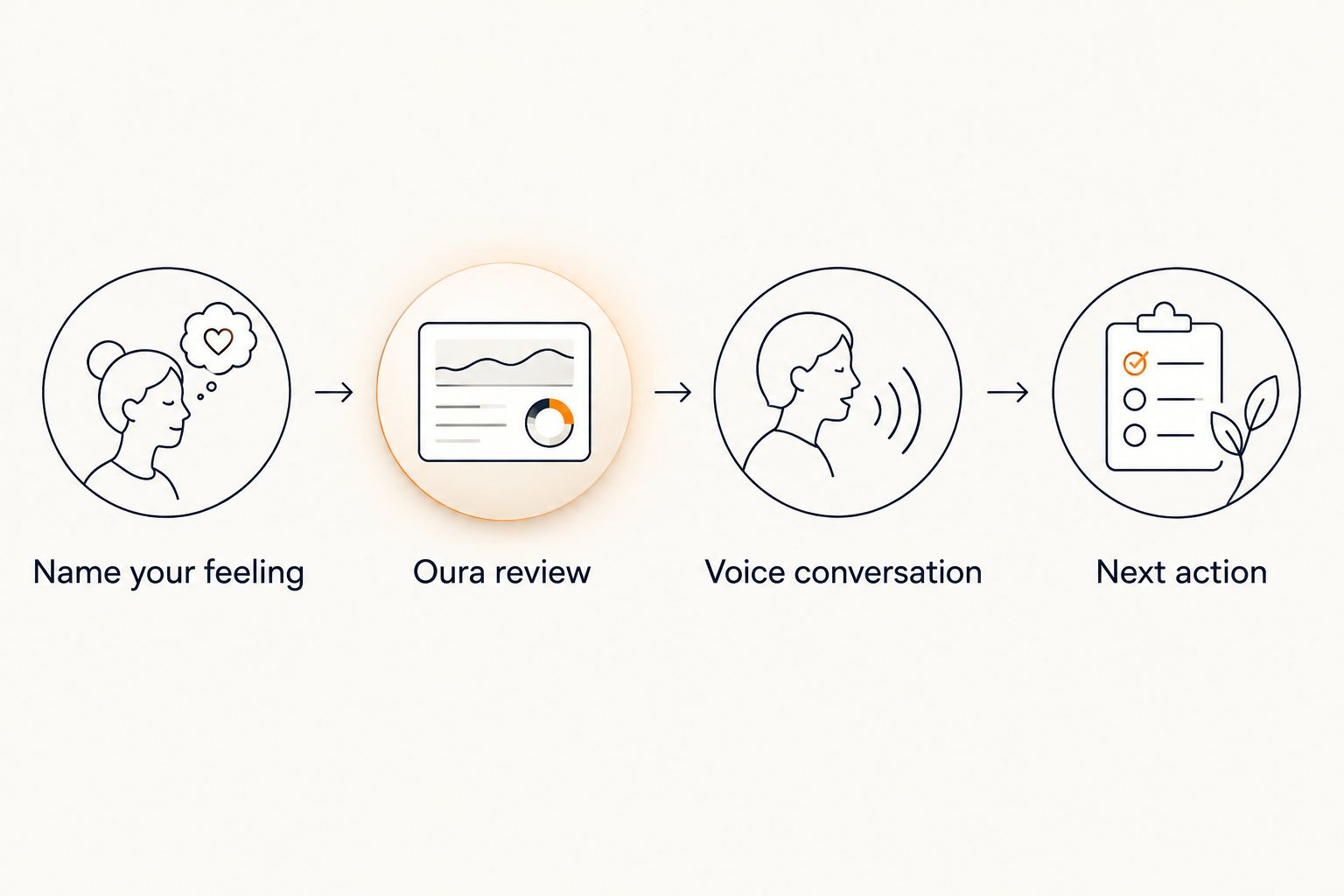 A morning routine moving from feelings to Oura review, voice conversation, and a next action.
Describe your experience before adding wearable context, then finish with an action you choose.
A second variant: check in after your main sleep
A morning routine does not have to happen at a conventional breakfast hour. If you work nights or have an irregular schedule, anchor the check-in to waking after your main sleep rather than to the clock.
Use the same sequence: describe your feelings, review the relevant sleep period, then decide whether a conversation would help. Do not compare an overnight worker's routine with a schedule that does not match their life.
| Workflow | Best for | Benefit | Limitation |
|---|---|---|---|
| Morning check-in | People with a consistent waking schedule | Gives the routine a clear daily place | Requires time before other demands take over |
| After-sleep check-in | Shift workers and people with changing schedules | Keeps the routine tied to waking | Requires attention to which sleep period you are reviewing |
| Feelings-only check-in | Days with missing data or stressful score checking | Keeps emotional support independent of wearable results | Leaves out wearable context for that conversation |
For a 2026 routine that survives schedule changes, keep the sequence consistent and let the timing move. A missed check-in does not create a backlog you need to clear.
If new data appears later, you do not need to repeat the entire conversation. Revisit the routine only if you have a new concern or a useful reason to reflect, not simply because another result is visible.
Troubleshooting
Today's Oura information is missing
Check whether the ring has synced and whether you are viewing the intended date or sleep period. Follow Oura's own troubleshooting instructions if the information remains absent; do not substitute an old result and describe it as current.
Continue with a feelings-only check-in. Emotional support does not require a complete wearable record.
The score and your feelings do not match
Report both without forcing them into agreement. A reassuring result does not erase distress, and feeling well does not mean you must find a problem in an unexpected reading.
Keep the conversation focused on what you are experiencing. If unexplained fatigue, sleep problems, or other symptoms persist or affect daily life, discuss them with a qualified healthcare professional rather than asking the app to settle the mismatch.
You are searching for a connection button
Return to the manual sequence in this guide: review the wearable information, then describe the relevant details yourself. Do not assume that placing both apps on your phone connects their data.
Before enabling any separate connection, check the current documentation and permissions for the services involved. Avoid giving unrelated services access simply to recreate a routine you can complete without a data transfer.
The voice conversation cannot hear you
Check the app's microphone permission in your phone's settings. Then check whether your phone is using a connected headset or another audio input you did not intend to use.
Move somewhere you can speak comfortably and try again. Do not compensate by discussing sensitive information loudly in a shared space.
Reviewing the numbers makes you more anxious
Stop the score review and describe the worry itself. If you keep reopening the result, remove wearable checking from the emotional-support routine rather than adding more measurements.
The workflow should support you, not become another demand. Discuss repeated reassurance-seeking or tracking-related distress with a licensed mental health professional, especially when it disrupts your day.
Customize your workflow
Choose a recurring prompt that matches the problem you actually face. For work stress, ask for help identifying a realistic priority; for relationship strain, ask for help expressing a need clearly. Keep the wearable information secondary.
If you want more structure for the conversation, use the guide to voice journaling for daily anxiety. Bring the question that matters today rather than trying to produce a complete account of your mental health every morning.
For your 2026 setup, keep sensitive details out of reminder text that appears on a shared or locked screen. A neutral phrase such as Morning check-in is enough; the reminder does not need your scores, symptoms, or personal concerns.
Before sharing health information with Lovon, read its current privacy information and decide what you are comfortable providing. This workflow does not require screenshots, exports, account credentials, or a complete history of your measurements.
If you already work with a clinician, ask whether a brief personal note would be useful between appointments. Do not change medication, treatment, or a prescribed activity plan because of a wearable result or an app conversation.
FAQ
How do I set up an Oura Ring Lovon workflow?
Use a manual handoff: review your current Oura information, open Lovon, and describe the relevant context during a voice conversation. This guide does not set up automatic syncing or a direct integration.
Can my Oura readiness score automatically start a voice check-in?
This workflow does not use a readiness score to start a session automatically. Begin the conversation yourself after deciding whether a check-in would help.
What should I say during a morning recovery check-in?
Start with how you feel, add any wearable context you want to share, and ask for help choosing one manageable action. You do not need to read every measurement aloud.
Should I skip the check-in if my readiness looks good?
No, a reassuring wearable result is not a reason to ignore emotional distress. Use the conversation when you want support with stress, worry, or another concern, regardless of the score.
Can this workflow explain why my recovery score changed?
No, this workflow is for emotional reflection, not a medical explanation of recovery changes. Ask a healthcare professional about persistent symptoms or concerns about your health.
What if checking my ring makes me worry more?
Skip the wearable review and use a feelings-only check-in. If tracking repeatedly increases distress or drives repeated checking, discuss that pattern with a licensed mental health professional.
Can I use the routine without fresh Oura data?
Yes, you can complete a check-in using your feelings and current concerns alone. Do not treat an older reading as current or delay seeking support while waiting for data.
What if I feel unsafe during a check-in?
Stop the routine and seek human crisis support immediately. In the United States, call or text 988 for the Suicide & Crisis Lifeline; call 911 if there is immediate danger or a medical emergency.
One last thing
Check the action, not just the score. At the end of the day, ask whether the step you chose was useful and realistic. You can adjust tomorrow's routine based on that answer without trying to prove that the check-in changed your wearable results.
The most useful outcome is simple: you noticed what you needed and responded with care. You do not have to earn that care through a low recovery score.
Related guides
How AI Support Helps You Heal
AI emotional support isn't about replacing human connection — it's about filling the gaps. The moments when you need to talk at 2 AM, when you don't want to burden your friends again, or when you simply need someone to listen without judgment.
Here's what happens in a typical Lovon session:
You share what's on your mind
There's no script, no intake form, no waiting room. You speak or type whatever you're feeling — in your own words, at your own pace.
Lovon validates and explores
Using frameworks from CBT (Cognitive Behavioral Therapy) and motivational interviewing, Lovon acknowledges your feelings first, then gently helps you explore them. No dismissive "just move on" advice.
You build coping skills together
Lovon doesn't just listen — it actively works with you on evidence-based techniques: thought reframing, urge surfing, behavioral experiments, and more.
What a Session with Lovon Looks Like
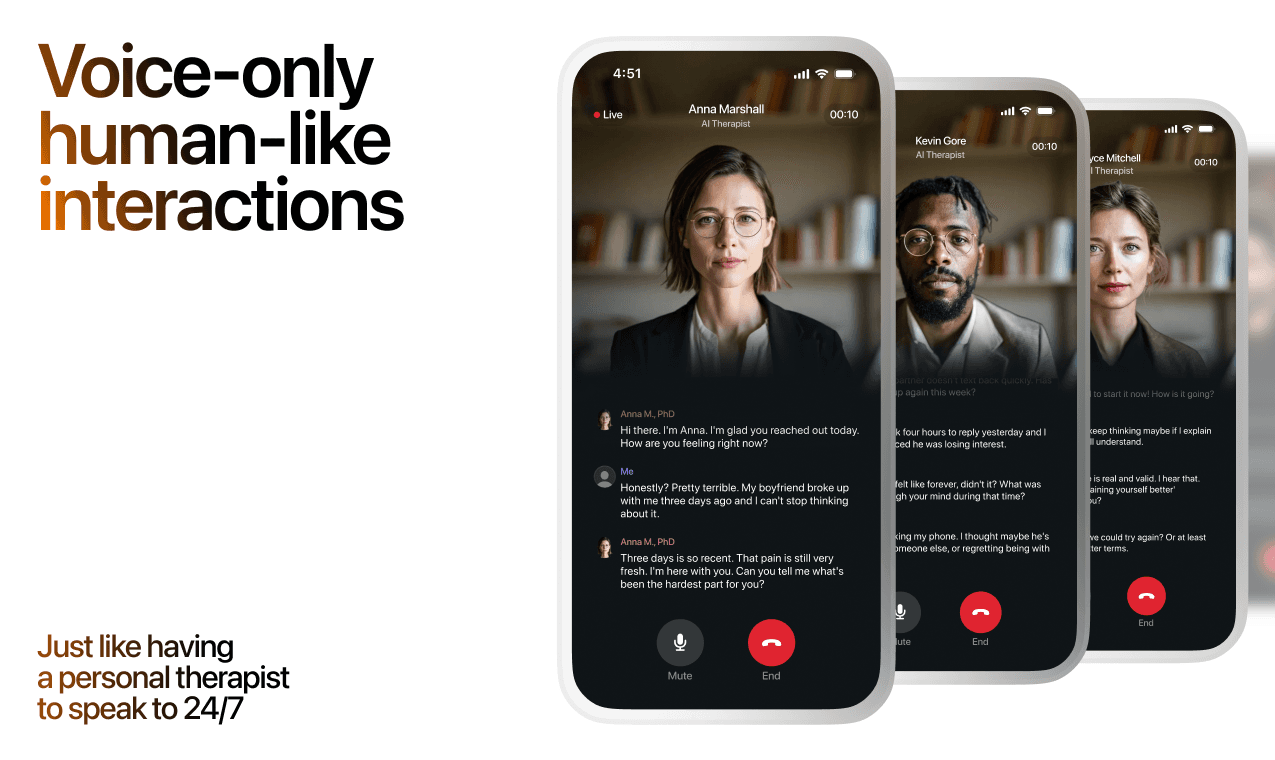
Lovon is AI support, not a replacement for professional care. If things have been hard to get through for weeks, or you are thinking about harming yourself, talk to a doctor or a licensed therapist.
Ready to Start?
Your healing journey can begin right now
A 7-day trial. No judgment. Just a safe space to process what you're going through.
Frequently Asked Questions
Is Lovon a replacement for a real therapist?
Is my conversation with Lovon AI private?
How is Lovon different from ChatGPT for emotional support?
Can I use Lovon if I'm already seeing a therapist?
Can I try Lovon before subscribing?
About the Author

The Lovon Editorial Team
Mental Health & Wellness Content Team
The Lovon Editorial Team develops mental health and wellness content designed to make psychological concepts accessible and actionable. Our goal is to bridge the gap between clinical research and everyday life - helping you understand why your mind works the way it does and what you can do about it....
Related articles
- Enmeshment in Relationships: Signs & Fix (2026)
Enmeshment in relationships blurs boundaries until feelings merge. See the signs, a 7-step untangling process, and…
- Self-Sabotaging Relationships: Why It Happens (2026)
Self-sabotaging relationships explained: the trigger pattern behind it and a 6-step process to interrupt it in 2026…
- Best AI apps for self-esteem and confidence in 2026
Compare the best AI apps for self-esteem and confidence. Lovon fits voice support; explore options for rehearsal…
- Best AI App for Codependency Recovery in 2026: Lovon Wins
Lovon ranks best AI app for codependency recovery in 2026, compared against Wysa, Replika, BetterHelp, and Youper on…
See also
Quizzes
- Emotional Granularity Test: How Precisely Do You Feel?
See how finely you tell your feelings apart, in 3 minutes.
- Hypermasculinity Test: Signs, Traits and Your Score
Score risk for show, dominance and contempt, in 3 minutes.
Free tools
- How to Say No Politely (Without Over-Explaining)
A chat for how to say no politely when you have already decided and cannot get the word out. Tell it what you were…
- How to Come Out to Your Parents
A chat about how to come out to your parents that starts with whether now is safe, not with the speech. Tell it your…
From the wiki
- What is inhibited grief?
Inhibited grief is grief that never gets out. The loss happened, you kept functioning, and the feeling stayed sealed…
Disclaimer: This article is for informational purposes only and does not constitute medical advice, diagnosis, or treatment. Always seek the advice of your physician or other qualified health provider with any questions you may have regarding a medical condition. If you are in crisis or think you may have an emergency, call 988 (Suicide & Crisis Lifeline) or go to the nearest emergency room. Outside the US? Find a crisis line in your country.