
Google Calendar to daily check-in habit: complete 2026 workflow
Set up a lovon google calendar daily check-in in 2026: recurring event settings, notification fixes, and the habit-building steps that keep it from getting skipped.

Key Takeaways
- A recurring Google Calendar event with a popup notification works better for a lovon google calendar daily check-in than an email reminder.
- Pick a fixed 5-10 minute slot you're actually free during, not an aspirational one.
- Add a second weekly reflection event to review patterns from your daily Lovon sessions.
- Do Not Disturb and notification bundling are the two most common reasons people quit in the first week.
Setting a recurring Google Calendar event is the easiest way to turn a daily Lovon check-in into a habit instead of something you have to remember every morning. This guide covers the exact event settings, notification timing, and fixes for the two or three things that quietly kill the habit in week one.
TL;DR
- A recurring Google Calendar event with a popup notification works better for a lovon google calendar daily check-in than an email reminder.
- Pick a fixed 5-10 minute slot you're actually free during, not an aspirational one.
- Add a second weekly reflection event to review patterns from your daily Lovon sessions.
- Do Not Disturb and notification bundling are the two most common reasons people quit in the first week.
Why this matters
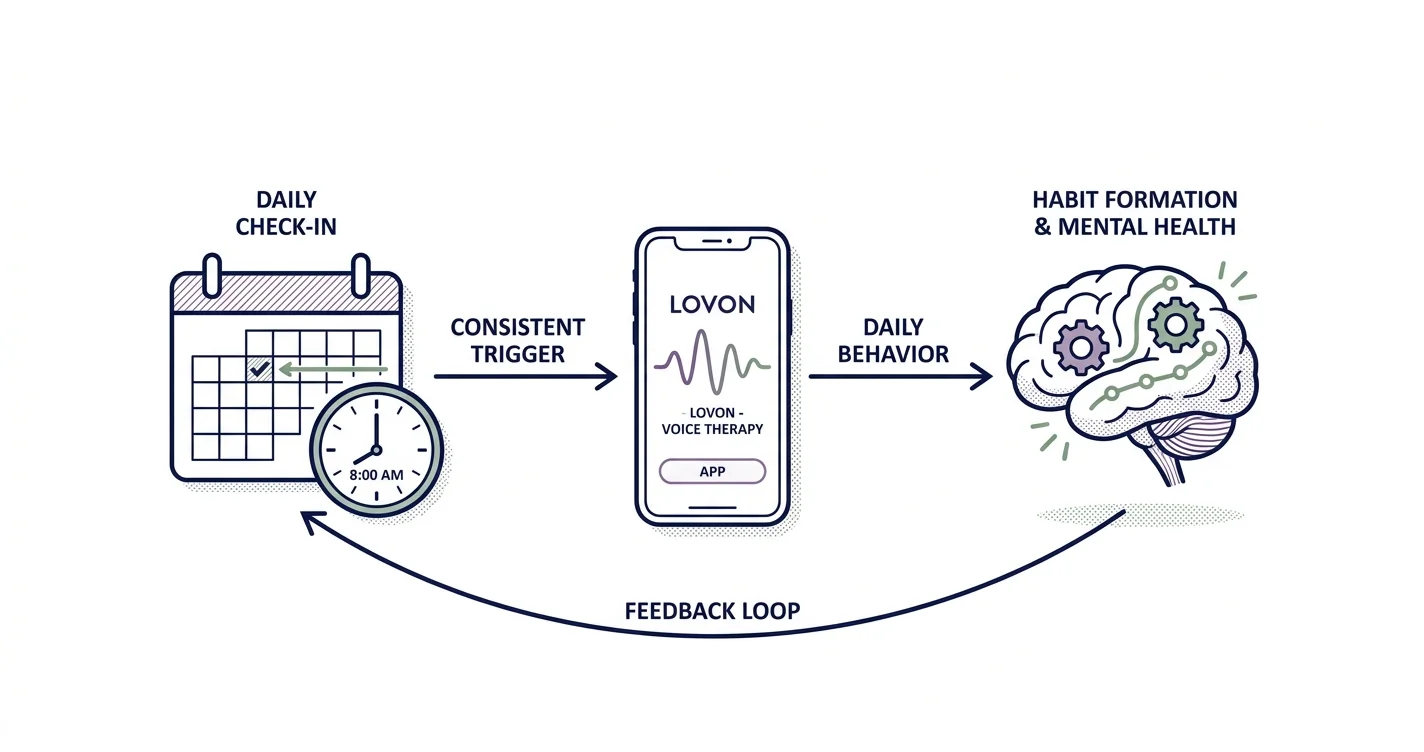
A one-time reminder does nothing. What builds a habit is a signal that repeats at the same time until your brain stops treating it as a decision. Research on habit formation (Lally et al., 2010, European Journal of Social Psychology) found it takes an average of 66 days for a new daily behavior to feel automatic — some behaviors settled in faster, others took over 200 days, but the consistent trigger mattered more than willpower in every case.
That's the whole logic behind pairing Google Calendar with a daily Lovon check-in in 2026: the calendar event is the trigger, the app is the behavior, and the two-minute voice session is small enough that skipping it feels dumber than doing it. Lovon is an AI voice support companion built with input from PhD psychologists for everyday stress, anxiety, low mood, and relationship friction — it's not a replacement for a licensed clinician, but it's available at 7 a.m. before work or 11 p.m. when a therapist's office is closed.
Before you start
- A Google account with Calendar access — personal or work, either works, but keep the check-in on a calendar you actually check daily.
- The Lovon app installed on the phone you carry, not just bookmarked on a desktop you open twice a week.
- The gotcha: if you're using a work Google Calendar with auto-decline rules turned on, a scheduled meeting will silently override or hide your check-in event. Set the event's status to Free (not Busy) before you build the recurrence, or the habit dies the first time your calendar gets busy.
Set up your recurring check-in trigger
- Open Google Calendar and click Create, then select Event.
- Title it something short and specific — "Lovon check-in" works better than "self-care" because vague titles get skipped.
- Set a fixed time window, 5 to 10 minutes, at a point in your day that's already stable — right after coffee, right before your commute, right after you close your laptop.
- Open the Does not repeat dropdown and change it to Daily, or use Custom if you want weekdays only.
- Under End, choose Never or set a 90-day end date if you want to reassess later rather than commit indefinitely.
- Click Add notification and set one alert for At time of event and a second for 10 minutes before — Google Calendar lets you stack more than one notification type per event.
Expected result: the event now repeats daily on your calendar with two layered alerts instead of one that's easy to swipe away.
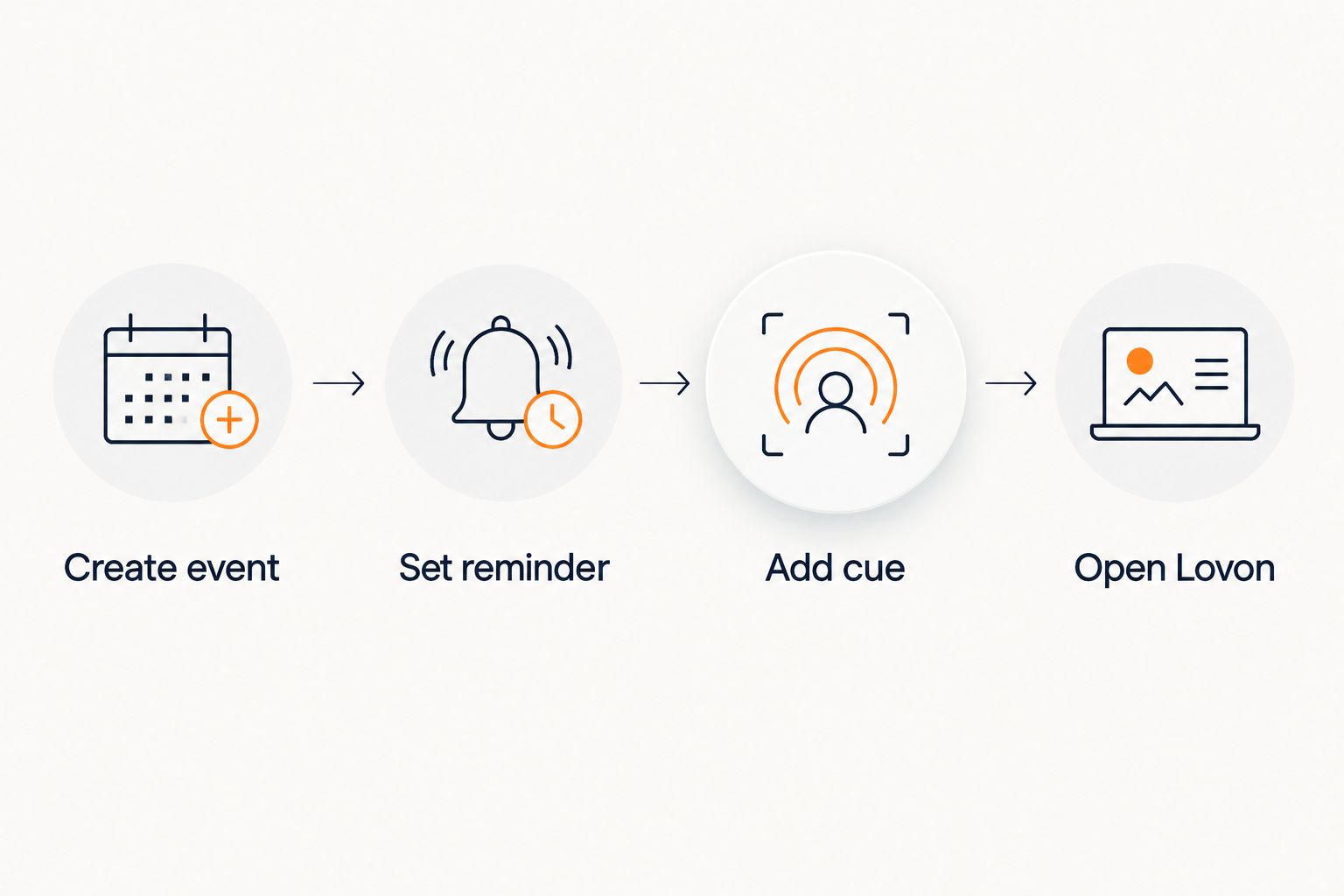 Four-step flow from creating a Google Calendar event to opening Lovon
The event is only the trigger — the two-minute session is the actual habit.
Configure notification delivery so it doesn't get buried
The event exists, but a notification that lands as an email in a folder you check once a day does nothing for habit formation. This step makes sure the alert actually interrupts you.
- On the Google Calendar mobile app, go to Settings, then General notifications, and set Event notifications to Alerts rather than the default email option.
- On iPhone, open system Settings for the Google Calendar app and enable Time Sensitive Notifications so the alert bypasses Focus modes.
- On Android, confirm Google Calendar has priority notification access under your phone's Do Not Disturb exceptions.
Expected result: a push notification hits your lock screen at check-in time instead of sitting unread in an inbox.
Link the reminder to your Lovon session
- Open the event and click into the Description field.
- Paste a one-line cue for future-you: "90 seconds — name the feeling, take three breaths, open Lovon."
- Save the event.
Expected result: tapping the notification gives you a cue before you even open the app, which shortens the gap between "I saw the reminder" and "I actually did the thing."
Add a weekly reflection check-in (second variant)
Daily check-ins capture the moment; a weekly one captures the pattern. Whenever your daily Lovon habit has run for at least seven days, add a second recurring event — 15 minutes, once a week, same process as above — and use that longer session to talk through what came up across the week instead of just the day. This is the same trigger mechanism, just a different cadence, and it doubles as a low-effort way to notice whether stress is trending up or down instead of guessing.
Troubleshooting
- Notification gets dismissed without opening the app — anchor the event to something physical you already do daily (pouring coffee, locking your car) instead of a raw clock time; a floating 8:00 a.m. reminder is easy to swipe past.
- Work calendar auto-declines the event during a meeting — confirm the event status is set to Free, or move the check-in to a separate personal calendar layered on top of your work one.
- Notifications get swallowed by Focus mode or Do Not Disturb — enable Time Sensitive Notifications (iPhone) or add Google Calendar to your priority app list (Android); this is the single most common reason a streak dies in week one.
- Time zone shifts when traveling break the schedule — Google Calendar events inherit your device's time zone automatically; if the check-in fires at the wrong hour after a flight, check the event's Time zone field rather than recreating the event.
- A missed day turns into a dropped habit — don't delete the recurring event after skipping one day. Leave it running; the 66-day research above only applies if the trigger keeps firing, missed instance or not.
Customize your workflow
Once the daily trigger holds for a couple of weeks, the calendar-to-Lovon loop can carry more than a generic check-in:
- If mornings are rough, read on-demand emotional support for when therapy isn't available for what to say in that first 90 seconds.
- If overthinking derails the session before it starts, voice journaling to reduce anxiety daily walks through a structure that removes the blank-page problem.
- If the habit itself is the hard part — not the app — building a routine step by step covers why some routines stick and others don't, regardless of intent.
Start today's check-in
Open Lovon after your first calendar reminder fires.
FAQ
What's the best way to set a daily reminder for a Lovon check-in in 2026?
A recurring Google Calendar event with a popup notification set for the exact time and a second alert 10 minutes prior works best in 2026. Email-only notifications get missed far more often than push alerts.
How long should a daily check-in event be?
5 to 10 minutes is enough for a short voice session. Longer blocks feel like a chore and get skipped more often, while a weekly 15-minute reflection event can go deeper.
Is a daily reminder better than checking in whenever I feel stressed?
A fixed daily trigger builds consistency faster than an on-demand approach, because habit formation depends on repetition at a predictable cue, not on remembering to act when you're already overwhelmed.
Why does my check-in notification keep getting missed on iPhone?
Focus modes and Do Not Disturb silently block standard alerts. Enable Time Sensitive Notifications for the Google Calendar app in iPhone Settings so the check-in reminder bypasses those modes.
Does a work calendar interfere with a personal check-in reminder?
Yes, if auto-decline rules are on, an overlapping meeting can hide or cancel the event. Set the check-in's status to Free instead of Busy so meetings don't override it.
Should I delete the recurring event if I miss a day?
No. Leave the recurrence running even after a missed day. Deleting and recreating the event resets the trigger and makes the habit harder to rebuild.
Can I use the same calendar workflow for a weekly reflection instead of daily?
Yes, the setup is identical — just change the recurrence to weekly and extend the time slot to about 15 minutes for a deeper session that reviews the week's daily check-ins.
One last thing
The part people skip is the Description field on the event — a single written cue ("name the feeling, breathe, open Lovon") does more for follow-through than the notification itself, because it removes the decision of what to do once the alert fires. Most habit trackers focus on the reminder; the actual failure point in 2026 workflows like this one is almost always the three seconds between seeing the alert and deciding what it means.
Related guides
How AI Support Helps You Heal
AI emotional support isn't about replacing human connection — it's about filling the gaps. The moments when you need to talk at 2 AM, when you don't want to burden your friends again, or when you simply need someone to listen without judgment.
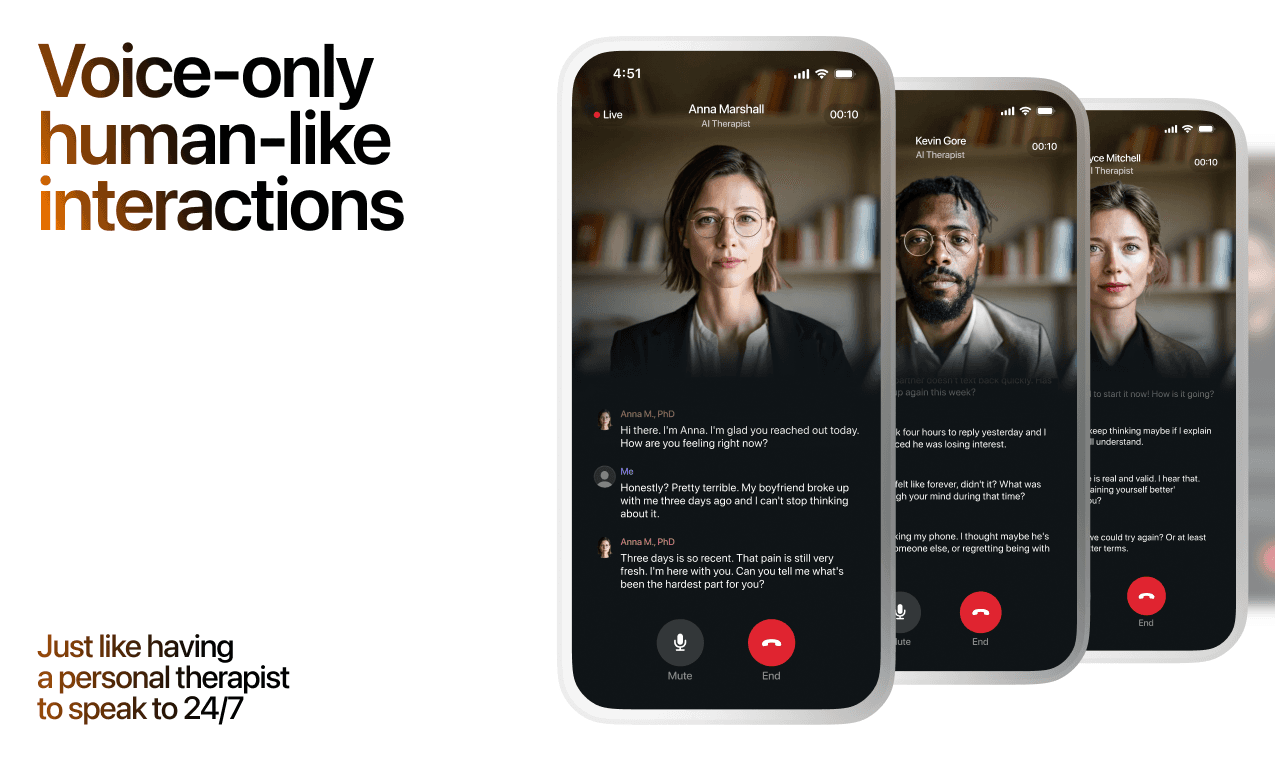
Here's what happens in a typical Lovon session:
You share what's on your mind
There's no script, no intake form, no waiting room. You speak or type whatever you're feeling — in your own words, at your own pace.
Lovon validates and explores
Using frameworks from CBT (Cognitive Behavioral Therapy) and motivational interviewing, Lovon acknowledges your feelings first, then gently helps you explore them. No dismissive "just move on" advice.
You build coping skills together
Lovon doesn't just listen — it actively works with you on evidence-based techniques: thought reframing, urge surfing, behavioral experiments, and more.
What a Session with Lovon Looks Like
Lovon is AI support, not a replacement for professional care. If things have been hard to get through for weeks, or you are thinking about harming yourself, talk to a doctor or a licensed therapist.
Ready to Start?
Your healing journey can begin right now
A 3-day trial. No judgment. Just a safe space to process what you're going through.
Frequently Asked Questions
Is Lovon a replacement for a real therapist?
Is my conversation with Lovon AI private?
How is Lovon different from ChatGPT for emotional support?
Can I use Lovon if I'm already seeing a therapist?
Can I try Lovon before subscribing?
About the Author
The Lovon Editorial Team
Mental Health & Wellness Content Team
The Lovon Editorial Team develops mental health and wellness content designed to make psychological concepts accessible and actionable. Our goal is to bridge the gap between clinical research and everyday life - helping you understand why your mind works the way it does and what you can do about it....
Related articles
- Best AI App for Health Anxiety in 2026: Ranked
The best ai app for health anxiety in 2026, ranked by availability and risk of reinforcing checking behavior. Lovon wins…
- Catastrophizing Anxiety: How to Stop It in 2026
Catastrophizing anxiety explained: 7 steps to stop worst-case thinking fast, plus troubleshooting tips and tools that…
- Fitbit stress alerts and Lovon coping check-ins: complete 2026 workflow
Use Fitbit stress alerts as a cue to open Lovon yourself. Check device support, choose a calm response, and know when to…
- How to test Lovon session audio on a Google Home speaker
Lovon does not connect to Google Home. Run the session on your phone, test whether its audio plays on a Google Home…
See also
Quizzes
- Fear of Intimacy Test: Free 12-Question Self-Check
See which part of closeness feels risky, in 3 min.
- Pet Loss Check: Free 12-Question Pet Grief Self-Check
See what losing them is actually doing, in 3 minutes.
Free tools
- Sleep Meditation for Anxiety
For lying in bed with a mind that will not stop. About twelve minutes of slower breathing, a place to put the worries…
- 60-Second Mental Health Check-In
How are you feeling today, really? Five quick sliders and one feeling word show what stands out, how today compares with…
From the wiki
- Why do I keep dreaming about the same person?
A recurring dream figure usually marks unfinished emotional business rather than a message about that person. Your brain…
Disclaimer: This article is for informational purposes only and does not constitute medical advice, diagnosis, or treatment. Always seek the advice of your physician or other qualified health provider with any questions you may have regarding a medical condition. If you are in crisis or think you may have an emergency, call 988 (Suicide & Crisis Lifeline) or go to the nearest emergency room. Outside the US? Find a crisis line in your country.