
How to connect Lovon to Apple Health for mood tracking
No native sync exists in 2026 — here's the manual routine to log Lovon sessions in Apple Health's State of Mind, plus a Shortcuts automation to automate reminders.


Key Takeaways
- Connect Lovon to Apple Health manually: no native sync exists in 2026, so mood entries go into State of Mind by hand.
- State of Mind under the Health app's Mental Wellbeing category is where Lovon session moods should be logged.
- A Shortcuts automation tied to opening or closing Lovon can trigger a mood-logging reminder within seconds.
- Daily summary logging beats after-every-session logging if you talk to Lovon more than once a day.
Lovon does not push data into Apple Health on its own in 2026 — there is no sync toggle waiting for you in settings. What actually works: pair a Lovon voice session with a two-minute manual log in Apple's Mental Wellbeing category, and your mood trends start showing up right next to your sleep and activity data within a week.
TL;DR
- Connect Lovon to Apple Health manually: no native sync exists in 2026, so mood entries go into State of Mind by hand.
- State of Mind under the Health app's Mental Wellbeing category is where Lovon session moods should be logged.
- A Shortcuts automation tied to opening or closing Lovon can trigger a mood-logging reminder within seconds.
- Daily summary logging beats after-every-session logging if you talk to Lovon more than once a day.
Why this matters
Mood data is only useful if it's consistent. A journal entry here, a mood app there, and a voice session with Lovon somewhere else gives you three disconnected snapshots instead of one trend line.
Apple Health already tracks sleep, heart rate, and activity in one place. Getting your Lovon reflections into that same dashboard means you can actually see whether a rough night's sleep lines up with a harder AI voice therapy session, instead of guessing. That correlation is the whole point of tracking mood in the first place.
Before you start
- iPhone running iOS 17 or later — State of Mind, the Mental Wellbeing feature you'll use, doesn't exist on older versions.
- Health app permissions turned on for the Mental Wellbeing category (it's off by default for some users after an update).
- The gotcha: there is no public API letting any third-party app, including Lovon, write directly into Apple's Mental Wellbeing data. If you're hoping for a one-tap "connect" screen inside Lovon, it doesn't exist yet — you're building the routine yourself, and that's fine once you know it going in.
Set up State of Mind in Apple Health
- Open the Health app on your iPhone.
- Tap the Browse tab at the bottom.
- Select Mental Wellbeing.
- Tap State of Mind.
- Tap Log State of Mind and walk through the first entry — you'll rate how you feel on a scale and pick a word or two that describes it.
Expected result: you have one logged entry in State of Mind, and the option to log again shows up on your Health dashboard from now on.
Build the after-session logging routine
- Finish your voice journaling session or conversation with Lovon.
- Immediately open the Health app — don't wait, the feeling fades fast.
- Tap Log State of Mind.
- Rate your mood on the slider and add one or two words that came up during the session (e.g., "relieved," "still anxious").
- Tap Done.
Expected result: every Lovon session now has a matching Health entry with a timestamp, so you can pull up trends by week or month later.
Automate the reminder with Shortcuts
If you keep forgetting to log after a session, build a nudge instead of relying on memory.
- Open the Shortcuts app.
- Tap the Automation tab.
- Tap the + button, then Create Personal Automation.
- Choose App.
- Select Lovon, then choose Is Closed as the trigger.
- Tap Next, then Add Action.
- Search for and add Show Notification.
- Type a short reminder text, like "Log your mood in Health."
- Turn off Ask Before Running so it fires automatically.
- Tap Done.
Expected result: a notification appears every time you close the Lovon app, prompting you to open Health and log the entry before you move on to something else.
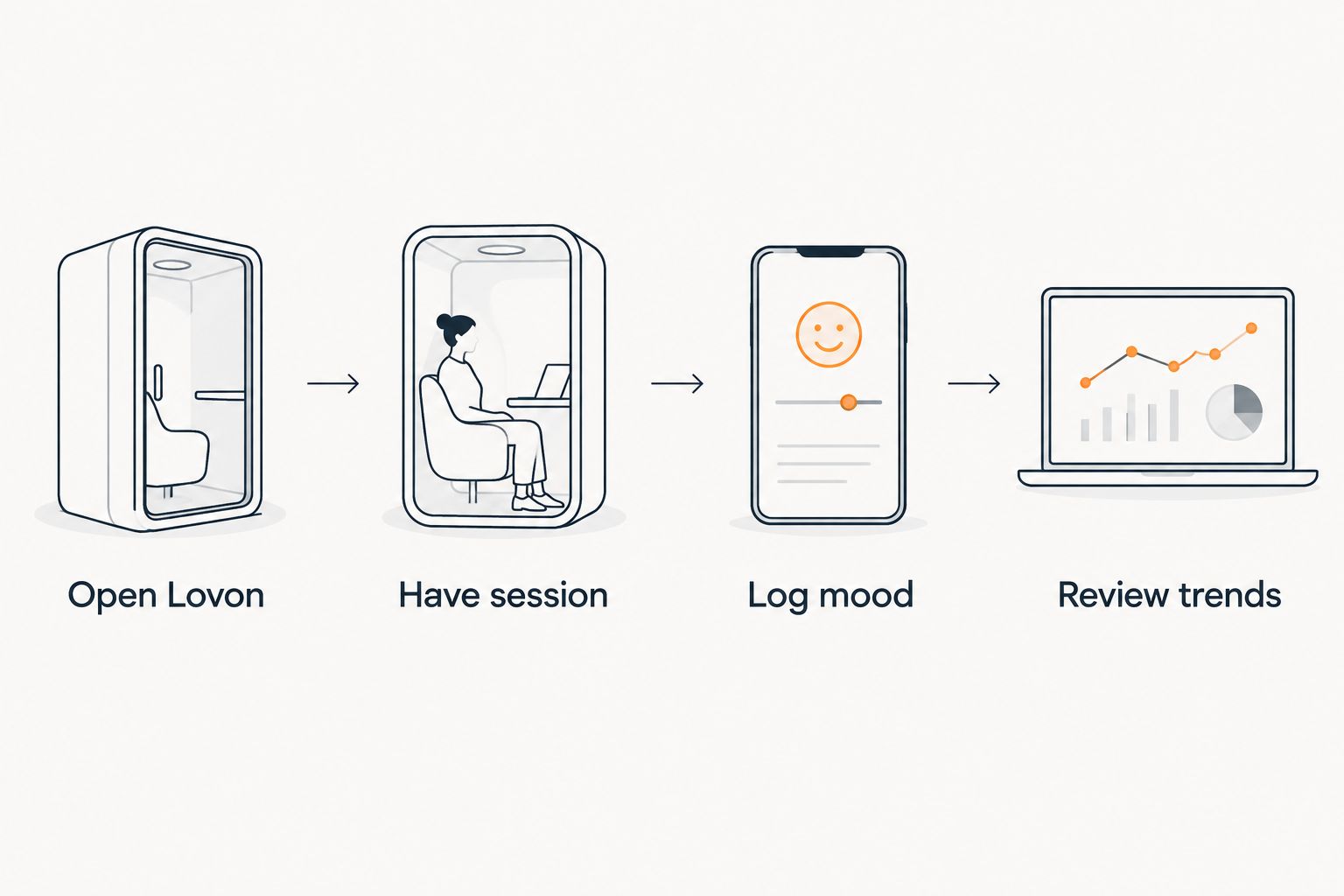 Four-step flow from opening Lovon to reviewing mood trends in Apple Health
The routine only works if the mood log happens right after the session, not later.
Log once a day instead of after every session
If you use Lovon more than once a day, logging every single time gets tedious fast and you'll quit within a week. Switch the automation trigger from Is Closed to a fixed time instead — say, 9 PM — and log one State of Mind entry summarizing how the day went overall, informed by whatever came up across your sessions.
This version trades granularity for consistency. You lose the session-by-session detail but you're far more likely to still be logging in a month. Pick daily summaries if you check in with Lovon more than once a day; pick after-session logging if you use it once daily or less.
Troubleshooting
- State of Mind option is missing from Mental Wellbeing. Your iOS version is older than 17. Update through Settings > General > Software Update.
- Health app permissions are grayed out. Go to Settings > Privacy & Security > Health and confirm Mental Wellbeing access hasn't been revoked after an app update.
- The Shortcuts automation never fires. Check that Ask Before Running is off — if it's on, the automation waits for a manual tap instead of running silently.
- You keep forgetting anyway. Switch to the daily-summary version above; a fixed time is easier to build a habit around than an event trigger.
- Mood entries feel inaccurate in hindsight. Log immediately after the session, not at the end of the day — same-day recall is noticeably less reliable than in-the-moment logging.
Customize your workflow
Once the logging habit sticks, layer in more context instead of stopping at a single mood score. Note what emotional triggers came up in the session alongside the State of Mind entry — that combination is what turns a mood log into a pattern you can actually act on.
Start tonight's session
Talk it out with Lovon, then log the mood while it's still fresh.
FAQ
Can Lovon sync directly with Apple Health in 2026?
No. Lovon has no native Apple Health integration as of 2026, so mood data has to be logged manually in the Health app's State of Mind feature after a session.
What is State of Mind in Apple Health?
State of Mind is a Mental Wellbeing feature in the Health app, available on iOS 17 and later, that lets you log how you feel on a scale with descriptive words attached to the entry.
Do I need iOS 17 to log mood from Lovon sessions?
Yes. State of Mind, the feature you'll use to log mood, only exists on iOS 17 and later. Older versions don't show the option under Mental Wellbeing.
How often should I log my mood after using Lovon?
Log after every session if you use Lovon once a day or less. If you check in multiple times a day, switch to one daily summary log instead to avoid dropping the habit.
Can Shortcuts automate the mood-logging reminder?
Yes. Build a Personal Automation in the Shortcuts app triggered by Lovon closing, paired with a Show Notification action reminding you to open Health and log the entry.
Is manually logging mood in Apple Health worth the effort?
It's worth it if you want to see mood trends alongside sleep and activity data already in Health. Without the manual log, that correlation isn't visible anywhere.
Does Lovon replace a licensed therapist for mood tracking purposes?
No. Lovon is built for on-demand emotional support and reflection, not clinical diagnosis or treatment, and it says so directly inside the app.
One last thing
The part people skip is step one: turning on State of Mind before they ever open Lovon. Do that first, log one baseline entry, then build the after-session habit on top of it — trying to backfill weeks of missing data later is far more work than the two minutes it takes tonight.
Related guides
How AI Support Helps You Heal
AI emotional support isn't about replacing human connection — it's about filling the gaps. The moments when you need to talk at 2 AM, when you don't want to burden your friends again, or when you simply need someone to listen without judgment.
Here's what happens in a typical Lovon session:
You share what's on your mind
There's no script, no intake form, no waiting room. You speak or type whatever you're feeling — in your own words, at your own pace.
Lovon validates and explores
Using frameworks from CBT (Cognitive Behavioral Therapy) and motivational interviewing, Lovon acknowledges your feelings first, then gently helps you explore them. No dismissive "just move on" advice.
You build coping skills together
Lovon doesn't just listen — it actively works with you on evidence-based techniques: thought reframing, urge surfing, behavioral experiments, and more.
What a Session with Lovon Looks Like
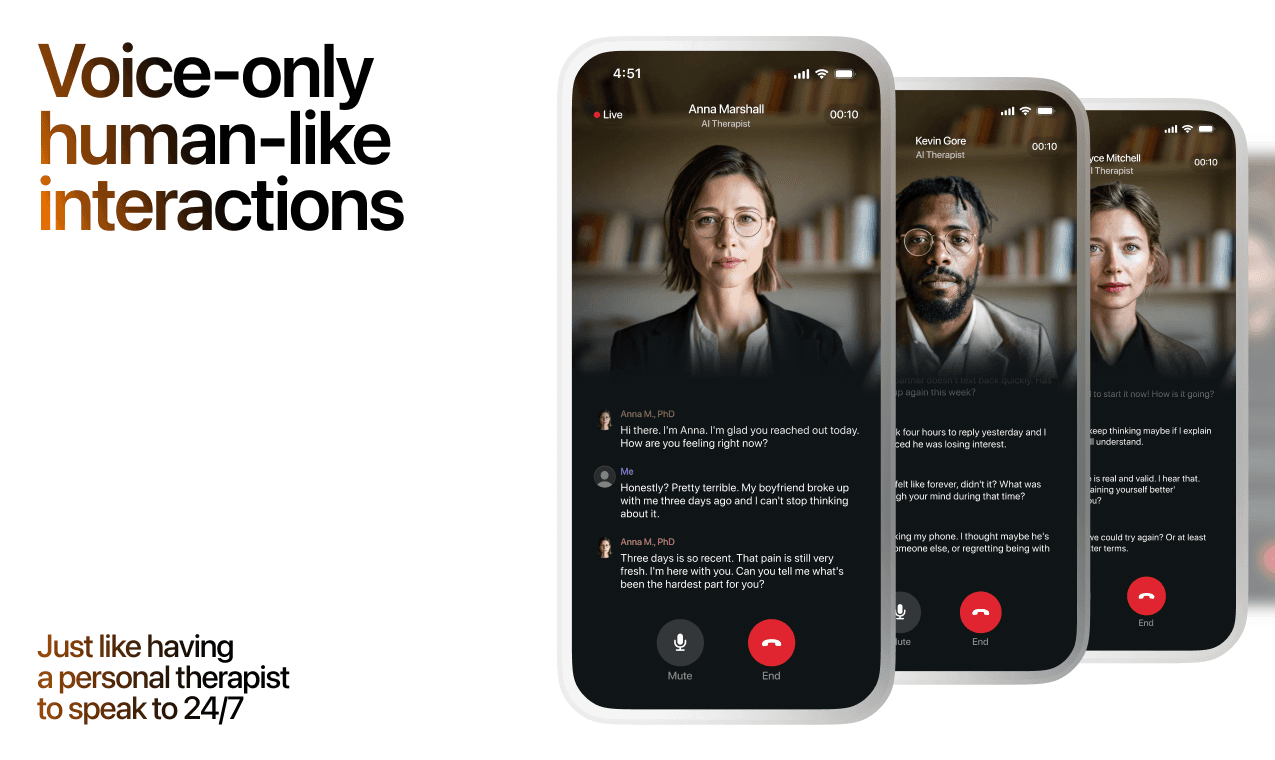
Lovon is AI support, not a replacement for professional care. If things have been hard to get through for weeks, or you are thinking about harming yourself, talk to a doctor or a licensed therapist.
Ready to Start?
Your healing journey can begin right now
A 3-day trial. No judgment. Just a safe space to process what you're going through.
Frequently Asked Questions
Is Lovon a replacement for a real therapist?
Is my conversation with Lovon AI private?
How is Lovon different from ChatGPT for emotional support?
Can I use Lovon if I'm already seeing a therapist?
Can I try Lovon before subscribing?
About the Author
The Lovon Editorial Team
Mental Health & Wellness Content Team
The Lovon Editorial Team develops mental health and wellness content designed to make psychological concepts accessible and actionable. Our goal is to bridge the gap between clinical research and everyday life - helping you understand why your mind works the way it does and what you can do about it....
Related articles
- Best Mental Health App for Men in 2026: Lovon Wins
Six AI mental health apps for men compared for 2026. Lovon wins for on-demand voice support — see pros, cons, and honest…
- Automatically start a Lovon session when your heart rate spikes
A Lovon Apple Watch heart rate trigger uses iOS Shortcuts automation to open Lovon the moment your heart rate spikes, no…
- Outlook Calendar reminders for Lovon workplace check-ins: complete 2026 workflow
Build an Outlook Calendar and Lovon workflow with your own reminders; Lovon does not sync with Outlook. Protect…
- How to connect Lovon to Siri for instant voice sessions
Set up the Lovon Siri shortcut in under 5 minutes. Step-by-step iOS Shortcuts guide for instant voice sessions plus a…
See also
Quizzes
- Thin Thick Boundaries Test: Where Do Your Lines Blur?
See where your boundaries run thin, in 3 minutes.
- Defense Mechanisms Test: Which Ones Do You Use Most?
See what your defenses do with hard feelings, in 3 minutes.
Free tools
- Body Scan Meditation
Ten minutes, from your toes to the top of your head, noticing what is there without trying to fix it. Follow the voice…
- AI Life Coach
This is a free AI life coach you can use right on this page. Tell it where you feel stuck or what you are deciding, and…
From the wiki
- Why do I feel lonely all of a sudden?
Sudden loneliness usually traces back to something that quietly ended in the last few months: a routine, a shared class…
Disclaimer: This article is for informational purposes only and does not constitute medical advice, diagnosis, or treatment. Always seek the advice of your physician or other qualified health provider with any questions you may have regarding a medical condition. If you are in crisis or think you may have an emergency, call 988 (Suicide & Crisis Lifeline) or go to the nearest emergency room. Outside the US? Find a crisis line in your country.