
Automatically silence notifications when you start a Lovon session
Set up Lovon focus mode notifications so Do Not Disturb turns on the moment you open a session — iPhone Shortcuts and Android routines, step by step for 2026.

Key Takeaways
- Lovon focus mode notifications can be handled at the OS level with iOS Shortcuts or Android routines, not inside the app itself.
- iPhone: build a Personal Automation that triggers 'Set Focus' when Lovon opens, then turn off 'Ask Before Running.'
- Android: Samsung Routines or a free app like MacroDroid can fire Do Not Disturb the moment Lovon launches.
- Set a mirror automation for when you close the app so Do Not Disturb lifts itself instead of staying on all day.
- Whitelist one emergency contact inside your Focus filter so the silence isn't absolute.
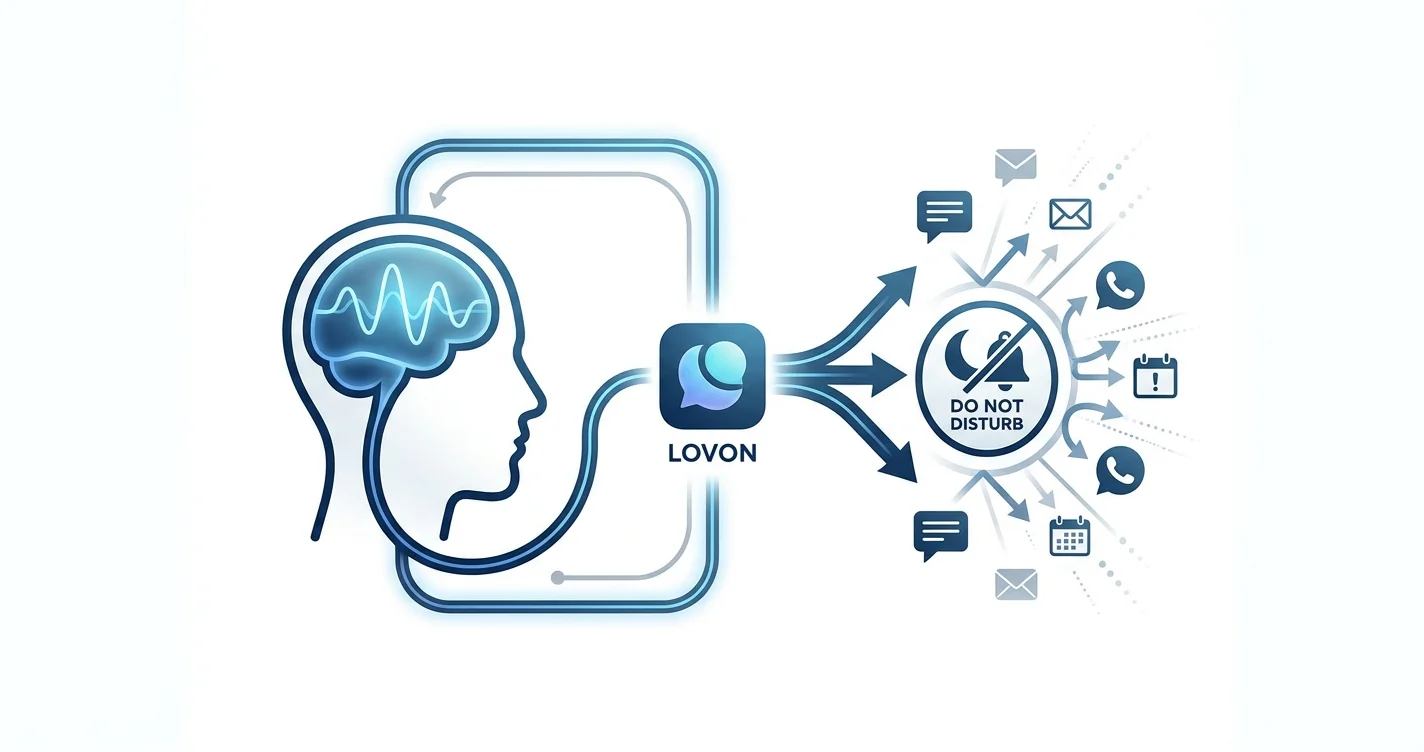
Notifications don't pause for emotional work — a text buzzes mid-sentence, a calendar alert pops over your screen, and the moment you were finally settling into is gone. Instead of manually swiping into Control Center or Quick Settings before every check-in, set up your phone to flip into Do Not Disturb the second you open Lovon, and back off the second you close it.
This is a phone-level automation, not a Lovon setting — iOS Shortcuts and Android routines both support an "app opened" trigger that can start your first Lovon session without a single stray notification. It takes about five minutes to configure once, and it runs itself after that.
TL;DR
- Lovon focus mode notifications can be handled at the OS level with iOS Shortcuts or Android routines, not inside the app itself.
- iPhone: build a Personal Automation that triggers 'Set Focus' when Lovon opens, then turn off 'Ask Before Running.'
- Android: Samsung Routines or a free app like MacroDroid can fire Do Not Disturb the moment Lovon launches.
- Set a mirror automation for when you close the app so Do Not Disturb lifts itself instead of staying on all day.
- Whitelist one emergency contact inside your Focus filter so the silence isn't absolute.
Why this matters
A voice session works best without interruption — that's true whether you're talking through anxiety, working a coping tool, or just trying to slow your thoughts down for ten minutes. A single notification banner during AI voice therapy breaks the thread of what you were saying and pulls you straight back into whatever the phone wants your attention for.
Most people handle this by remembering to manually tap Do Not Disturb before opening the app. That works until the day you forget, or you're mid-sentence and a call comes through. Automating it removes the "remembering" step entirely — the silence becomes a side effect of opening the app, not a separate task you have to think about.
Before you start
- iPhone: iOS 15 or later, with the Shortcuts app (comes preinstalled, no download needed).
- Android: Samsung devices use built-in Routines; other Android phones need a free automation app like MacroDroid or Tasker from the Play Store.
- The gotcha: if "Ask Before Running" stays turned on in iOS Shortcuts, the automation shows a confirmation banner you have to tap every single time — which is not automatic at all. Turn it off during setup, not after you've tested it three times wondering why it isn't working.
Set up the iPhone Focus trigger for Lovon
- Open the Shortcuts app.
- Tap the Automation tab at the bottom of the screen.
- Tap the + icon and choose Create Personal Automation.
- Scroll down to App, tap it, and select Lovon from your installed apps. Set the condition to Is Opened.
- Tap Next, then Add Action.
- Search for Set Focus. Choose the action, then select Do Not Disturb (or a custom Focus you've already built) and set it to Turn On.
- Turn off Ask Before Running on the confirmation screen.
- Tap Done.
Expected result: the instant you tap into Lovon, your phone flips into Do Not Disturb without you touching Control Center.
Configure the Focus filter so the right things still get through
- Go to Settings > Focus.
- Tap the Focus mode you just used (Do Not Disturb or your custom one).
- Under People, add anyone who should reach you no matter what — a partner, an emergency contact.
- Under Apps, set which apps can still notify you (Phone from favorites is a common exception).
Expected result: everything goes quiet except the people and apps you've deliberately flagged as essential.
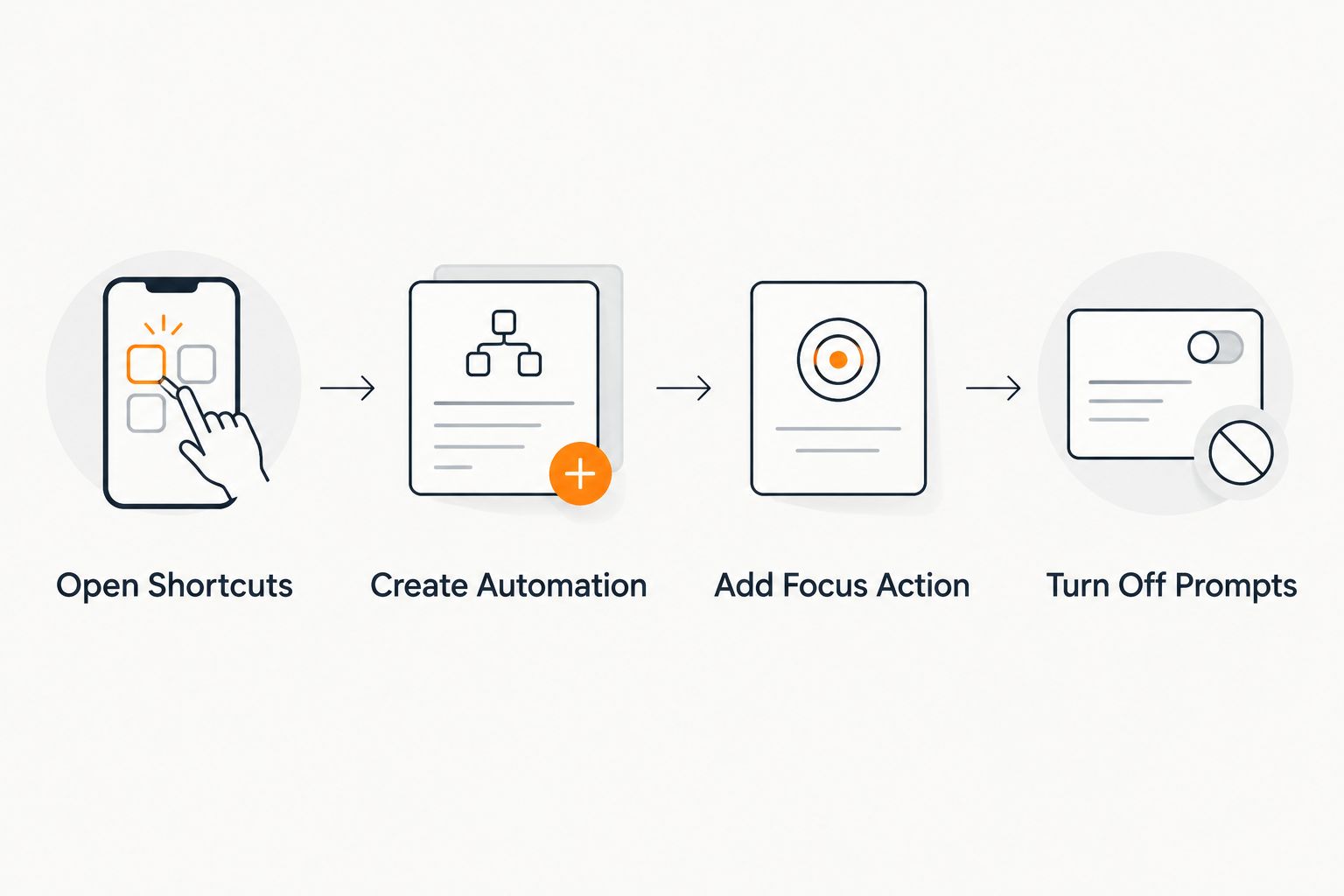 Four-step diagram for setting up an iPhone automation that silences notifications when Lovon opens
Each step maps to a screen inside the Shortcuts app — skip step four and the automation still asks permission every time.
Set up automatic Do Not Disturb on Android
Stock Android doesn't ship a native "app opened" trigger for Do Not Disturb the way iOS Shortcuts does, so the setup depends on your device.
Samsung devices:
- Open Settings > Modes and Routines > Routines > Add routine.
- Under If, choose App usage > App opened, then select Lovon.
- Under Then, tap Add action > Do not disturb > Turn on.
- Save the routine.
Other Android phones (MacroDroid or Tasker):
- Create a new macro or task.
- Set the trigger to Application > Application Started, and choose Lovon.
- Add the action Do Not Disturb > Priority Only or Total Silence, depending on how strict you want it.
- Save and enable the macro.
Expected result: opening Lovon puts the phone into Do Not Disturb the same way the iOS automation does, just routed through a routine or macro instead of Shortcuts.
Turn notifications back on when you close Lovon
A one-way automation leaves your phone silent long after the session ends, which becomes its own annoyance by evening. Build the mirror version:
- iOS: repeat the Shortcuts steps above, but set the trigger to Is Closed and the action to Set Focus > Turn Off.
- Samsung Routines: duplicate the routine, change If to App usage > App closed, and set Then to Do not disturb > Turn off.
Expected result: Do Not Disturb lifts itself the moment you back out of Lovon, so you're never stuck manually turning it off later.
Troubleshooting
- The automation doesn't fire at all. Double-check "Ask Before Running" is off on iOS — if it's on, the phone shows a notification you still have to tap, which isn't automatic.
- Focus turns on a couple seconds late. iOS Shortcuts app-open automations sometimes lag a beat behind the app launching. That's an OS timing quirk, not a broken setting.
- Some notifications still get through. Check the People and Apps lists inside your Focus filter — anything added as an exception will still ring or buzz by design.
- The Android routine stops working after a few days. Battery optimization can quietly kill background automation apps. Add MacroDroid or Tasker to the exceptions list under Settings > Apps > Battery.
- Do Not Disturb is on but banners still show. iOS separates muting sound from hiding visuals — toggle Show Notifications on Lock Screen off separately inside the Focus settings.
Start a session with notifications handled
Open Lovon once your Focus automation is set up.
Customize your workflow
Once the silence is automatic, the next thing worth building around it is what you do right after a session ends. Some people pair a quiet Lovon session with a few minutes of writing things down before notifications flood back in — worth a look if you haven't tried voice journaling as a follow-up habit for 2026.
You can also scope the Focus filter tighter or looser depending on the day — a stricter Total Silence setting for a hard week, Priority Only when you're waiting on something urgent. The automation trigger stays the same; only the filter underneath it changes.
FAQ
How do I stop notifications automatically when I open Lovon?
On iPhone, build a Shortcuts automation with the trigger 'App > Lovon > Is Opened' and the action 'Set Focus > Turn On,' then disable Ask Before Running. On Android, use Samsung Routines or an app like MacroDroid with an 'Application Started' trigger.
Does Lovon have a built-in focus mode setting?
No — Lovon focus mode notifications are handled through your phone's own automation tools, not a setting inside the app. iOS Shortcuts and Android routines both support this without any extra software beyond what's free on the device.
Will Do Not Disturb block emergency calls during a session?
Not if you configure it correctly. Add specific contacts under the People section of your Focus filter so calls or texts from them still come through even while Do Not Disturb is active.
Why does my iPhone automation ask for permission every time?
The Ask Before Running toggle is still on. Turn it off in the automation's settings inside the Shortcuts app so it runs silently instead of showing a confirmation banner.
Can I set notifications to turn back on automatically after a session?
Yes. Build a second automation using the same app trigger but set to 'Is Closed' on iOS, or 'App closed' in a Samsung Routine, paired with the action to turn Do Not Disturb off.
Does this work the same way on Android as iPhone?
The result is the same but the tools differ. Samsung phones use built-in Routines; other Android devices need a third-party automation app like MacroDroid or Tasker since stock Android lacks a native app-launch trigger.
Why did my Android automation stop working after a few days?
Battery optimization on many Android phones kills background automation apps to save power. Add the automation app to the battery optimization exceptions list to keep it running.
One last thing
Don't set the Focus filter to block everyone by default and forget about it — the point of allowing one emergency contact through isn't paranoia, it's the difference between a quiet session and missing something that actually needed you. Set that one exception once, and the rest of the automation can be as strict as you want.
Related guides
How AI Support Helps You Heal
AI emotional support isn't about replacing human connection — it's about filling the gaps. The moments when you need to talk at 2 AM, when you don't want to burden your friends again, or when you simply need someone to listen without judgment.
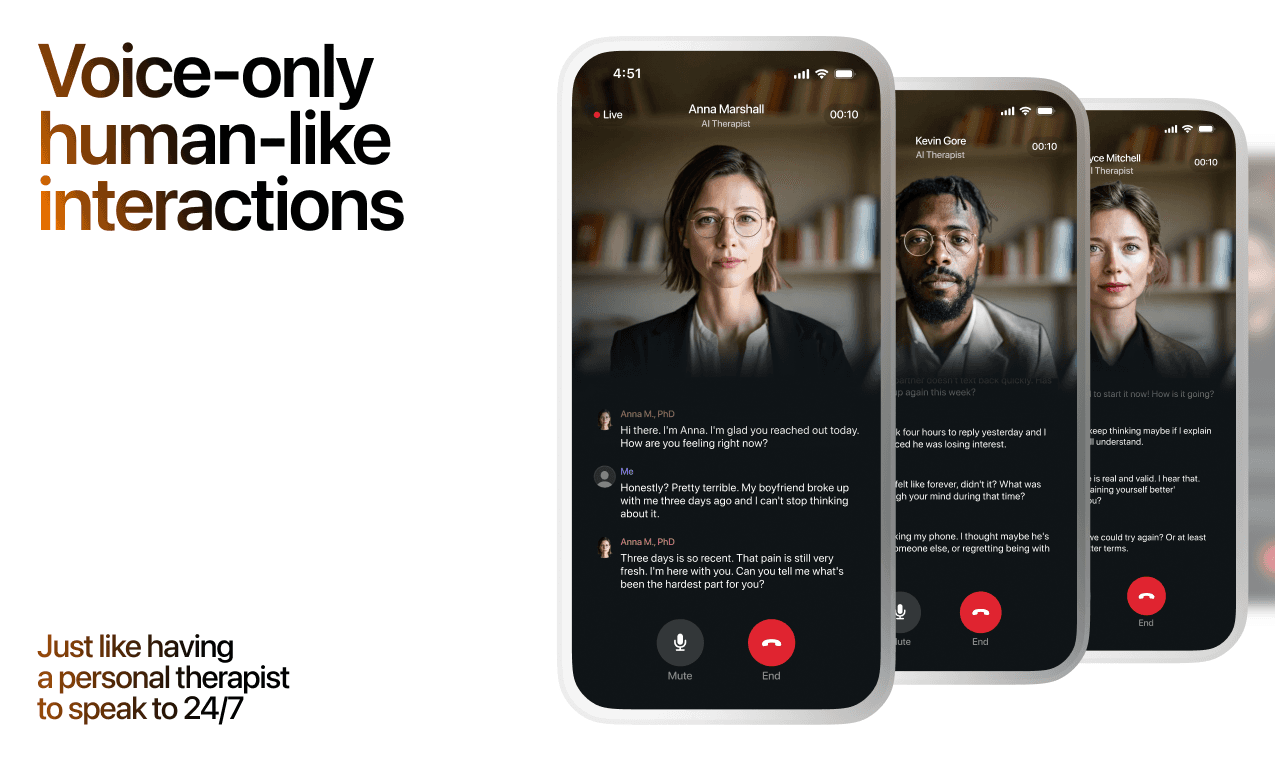
Here's what happens in a typical Lovon session:
You share what's on your mind
There's no script, no intake form, no waiting room. You speak or type whatever you're feeling — in your own words, at your own pace.
Lovon validates and explores
Using frameworks from CBT (Cognitive Behavioral Therapy) and motivational interviewing, Lovon acknowledges your feelings first, then gently helps you explore them. No dismissive "just move on" advice.
You build coping skills together
Lovon doesn't just listen — it actively works with you on evidence-based techniques: thought reframing, urge surfing, behavioral experiments, and more.
What a Session with Lovon Looks Like
Lovon is AI support, not a replacement for professional care. If things have been hard to get through for weeks, or you are thinking about harming yourself, talk to a doctor or a licensed therapist.
Ready to Start?
Your healing journey can begin right now
A 3-day trial. No judgment. Just a safe space to process what you're going through.
Frequently Asked Questions
Is Lovon a replacement for a real therapist?
Is my conversation with Lovon AI private?
How is Lovon different from ChatGPT for emotional support?
Can I use Lovon if I'm already seeing a therapist?
Can I try Lovon before subscribing?
About the Author
The Lovon Editorial Team
Mental Health & Wellness Content Team
The Lovon Editorial Team develops mental health and wellness content designed to make psychological concepts accessible and actionable. Our goal is to bridge the gap between clinical research and everyday life - helping you understand why your mind works the way it does and what you can do about it....
Related articles
- How to use iOS Focus Mode with Lovon for quiet sessions
Set up lovon ios focus mode for quieter voice sessions. Choose allowed contacts, reduce app alerts, and test manual or…
- How to use Amazon Alexa reminders to start a Lovon voice session
Lovon does not connect to Alexa. Use a neutral Alexa reminder as a cue, then open the Lovon app on your phone and start…
- Feeling Overwhelmed? What to Do Now and This Week
Feeling overwhelmed by everything? A 10-minute reset, a brain dump that sorts what matters, the common causes, and how…
- How to connect Lovon to CarPlay for commute stress relief
Set up Lovon CarPlay commute stress support in 2026. Pair your iPhone, route voice audio, test the session while parked…
See also
Quizzes
- Am I Codependent? 12-Question Self-Check
See how much of you is left over, in 2 minutes.
- Systemizing Empathizing Test: People or Systems First?
See whether minds or systems pull you first, in 3 minutes.
Free tools
- Stress Score Checker
Enter the stress or recovery number from your watch or ring and see what the maker says it means. Then answer three…
- Am I Overreacting, or Is This a Big Deal?
A chat for the small thing you cannot stop turning over. Say what happened and what you have already told yourself about…
From the wiki
- Why do I feel sad when I'm alone?
Being alone does not create the sadness. It removes the noise that was keeping it out of earshot, so whatever queued up…
Disclaimer: This article is for informational purposes only and does not constitute medical advice, diagnosis, or treatment. Always seek the advice of your physician or other qualified health provider with any questions you may have regarding a medical condition. If you are in crisis or think you may have an emergency, call 988 (Suicide & Crisis Lifeline) or go to the nearest emergency room. Outside the US? Find a crisis line in your country.