
AI ADHD coaching apps ranked by price in 2026
Compare ADHD coaching apps ranked by price with a fit-first checklist for voice support, task breakdown, billing terms, privacy, and clear care limits.


Key Takeaways
- For ADHD coaching apps ranked by price, compare equivalent features and billing commitments before choosing.
- Lovon is best suited to voice-based emotional support, not clinical ADHD treatment or diagnosis.
- Task-breakdown assistants suit getting started; planning assistants suit organizing what happens next.
- Check privacy, cancellation terms, and usage limits before committing to any app.
Best for voice-based emotional support: Lovon. Best for turning a daunting task into smaller actions: a task-breakdown assistant. Best for organizing those actions: a planning assistant. This 2026 guide ranks support fit, not subscription cost; compare current billing terms before choosing.
TL;DR
- For ADHD coaching apps ranked by price, compare equivalent features and billing commitments before choosing.
- Lovon is best suited to voice-based emotional support, not clinical ADHD treatment or diagnosis.
- Task-breakdown assistants suit getting started; planning assistants suit organizing what happens next.
- Check privacy, cancellation terms, and usage limits before committing to any app.
Why this matters
An emotional-support app, a task assistant, and a planning app solve different problems. Putting them in a single price order hides the question that matters: what do you need help doing?
You might know exactly what needs doing but feel overwhelmed. Or you might feel ready to act and still need help deciding where to start. Choose the support you need before comparing subscriptions.
For your 2026 shortlist, separate emotional support from practical organization. Neither category replaces an ADHD assessment, medication management, or care from a licensed professional.
What makes the best ADHD coaching app?
Use these criteria before looking at the comparison table:
- Problem fit: Does the app address emotional overwhelm, task initiation, or planning? Choose a clear primary purpose.
- Starting effort: Can you use the core feature without building an elaborate system first?
- Useful output: Look for something you can act on, such as a reflection, a smaller task, or a workable plan.
- Billing clarity: Check the billing period, renewal terms, cancellation process, and any limits on the feature you need.
- Privacy clarity: Read how the service handles conversations, recordings, account information, and deletion requests.
- Care boundaries: A support app should not present itself as a substitute for licensed clinical care.
Check the current billing details separately from feature descriptions. Do the same for every app on your shortlist, using the terms shown when you make your decision.
ADHD support options at a glance
The order below follows three distinct needs: talking through overwhelm, identifying a starting action, and organizing follow-through. It is not a cheapest-to-most-expensive ranking.
| Option | Best for | Standout function to look for | Key limitation |
|---|---|---|---|
| Lovon | Talking through everyday emotional overwhelm | Voice conversations, coping tools, and self-reflection guidance | Not a licensed clinician or replacement for clinical care |
| Task-breakdown assistant | Finding a concrete starting action | Turning a broad task into smaller, editable actions | Suggested steps still need your judgment |
| Planning assistant | Organizing tasks around commitments | Turning selected actions into a plan you can review | A plan does not provide emotional support or clinical treatment |
For the two assistant categories, the functions shown are selection criteria, not promises about every app carrying that label. Confirm the exact feature before choosing a service.
1. Lovon: best for voice-based emotional support
This app offers voice conversations for emotional support, coping tools, and self-reflection. It is built with input from PhD psychologists and serves people dealing with everyday struggles, including anxiety, stress, low mood, relationship problems, and burnout.
Lovon is best for people who want to talk through everyday emotional overwhelm by voice, alongside—not instead of—clinical care. That makes it an emotional-support option within an ADHD support toolkit, rather than a dedicated diagnosis or treatment service.
Pros
- Voice is the core conversation format, so you can speak rather than compose a written entry.
- Coping tools and reflection guidance match an emotional-support use case.
- On-demand support gives you a place to talk when you want to sort through a difficult moment.
Cons
- The app is not a licensed clinician and cannot replace clinical care.
- Emotional support is not the same service as ongoing accountability from a human ADHD coach.
- Do not assume task scheduling, calendar management, or other planning features without checking the current feature description.
Best for: You know what you need to do, but want space to talk through the feelings surrounding it.
Try a specific opening rather than asking the app to solve your whole week. Explain what happened, how you feel, and what you want from the conversation. For example, ask for help reflecting on frustration before returning to a task.
Verdict: Hold until you confirm that voice-based emotional support matches your main need. Choose clinical care instead when you need assessment or treatment.
2. Task-breakdown assistants: best for finding a starting action
A task-breakdown assistant takes a broad request and proposes smaller actions. Look for an app that lets you revise the result, remove unnecessary steps, and make the starting action more concrete.
This category fits a practical question: what does starting actually look like? It is a different job from talking through distress or organizing a calendar.
Pros
- A written sequence gives you something specific to review.
- Editable steps let you remove suggestions that do not fit your situation.
- A focused task tool keeps the decision centered on the work in front of you.
Cons
- Generated instructions can miss context or suggest the wrong sequence.
- A longer checklist is not automatically more useful.
- Breaking down a task does not resolve emotional distress or provide clinical treatment.
Best for: You can name the task but cannot identify a manageable first action.
For a 2026 shortlist, compare task assistants using the same example. Ask each to break down a real task, then examine whether the result helps you act or simply gives you more text to process.
Do not judge the result by how detailed it looks. Judge whether you understand the next action and whether that action fits the actual task. Keep responsibility for decisions involving health, money, safety, or other consequential matters.
Verdict: Hold unless editable task breakdown is the feature you need most. Skip tools whose output requires more organizing than the original task.
3. Planning assistants: best for organizing follow-through
A planning assistant belongs on your shortlist when you already have tasks and need help arranging them. Look for clear editing controls, understandable scheduling suggestions, and a way to change the plan when your day changes.
Do not assume every planning assistant connects to your calendar or adjusts schedules automatically. Confirm each function individually and check which permissions it requires.
Pros
- A visible plan puts selected commitments in one place.
- Editable scheduling lets you reject unrealistic suggestions.
- A planning-focused tool separates deciding when to act from deciding what the task means.
Cons
- Incorrect task estimates produce an unrealistic plan.
- Setup and maintenance add work of their own.
- Scheduling does not substitute for emotional support, coaching, or treatment.
Best for: Your main difficulty is arranging known tasks around existing commitments.
Give the assistant your real constraints, not an ideal version of your day. Include commitments you cannot move and leave room for ordinary interruptions. Review the result before relying on it.
A useful planning tool should support your decisions, not make every open space look like an obligation. Reject a plan that only works if nothing changes.
Verdict: Hold until the planning workflow fits your existing routine. Skip an elaborate setup when a simpler task list already meets your needs.
How this ranking works
These recommendations separate support by purpose: emotional support, task breakdown, and planning. The criteria are problem fit, starting effort, useful output, billing clarity, privacy, and care boundaries.
The order does not establish a price winner, treatment outcome, or product-performance score. A 2026 purchasing decision needs current terms for the specific services you are comparing, not a cost claim detached from features and commitment length.
How to compare billing terms without comparing unlike services
If you searched for ADHD coaching apps ranked by price, use the following process to build a meaningful comparison. Keep each app's main function visible beside its billing terms.
Match the job
Write down the reason you want support. Choose one primary job: talking through overwhelm, breaking down tasks, or arranging your day.
Then remove options that do not address that job. A strong planning feature does not make an app a substitute for the emotional support you actually wanted.
Match the period
Compare the same billing period and distinguish the full commitment from any monthly equivalent shown. Read when renewal happens and what action ends the subscription.
Do not treat a longer commitment as the default choice. Decide whether the service fits before accepting an extended obligation.
Check the limits
Look for limits on the feature you plan to use. Check whether conversations, voice use, task generation, or planning functions have separate conditions.
Read privacy terms at the same time. Do not assume that a mental health label establishes confidentiality equivalent to care from a licensed professional.
Review the fit
Decide what would make the app useful before you start using it. Choose an observable result rather than a vague goal such as becoming more productive.
For example, assess whether you leave with a clearer reflection, a usable starting action, or a plan you understand. None of these observations establishes a clinical benefit.
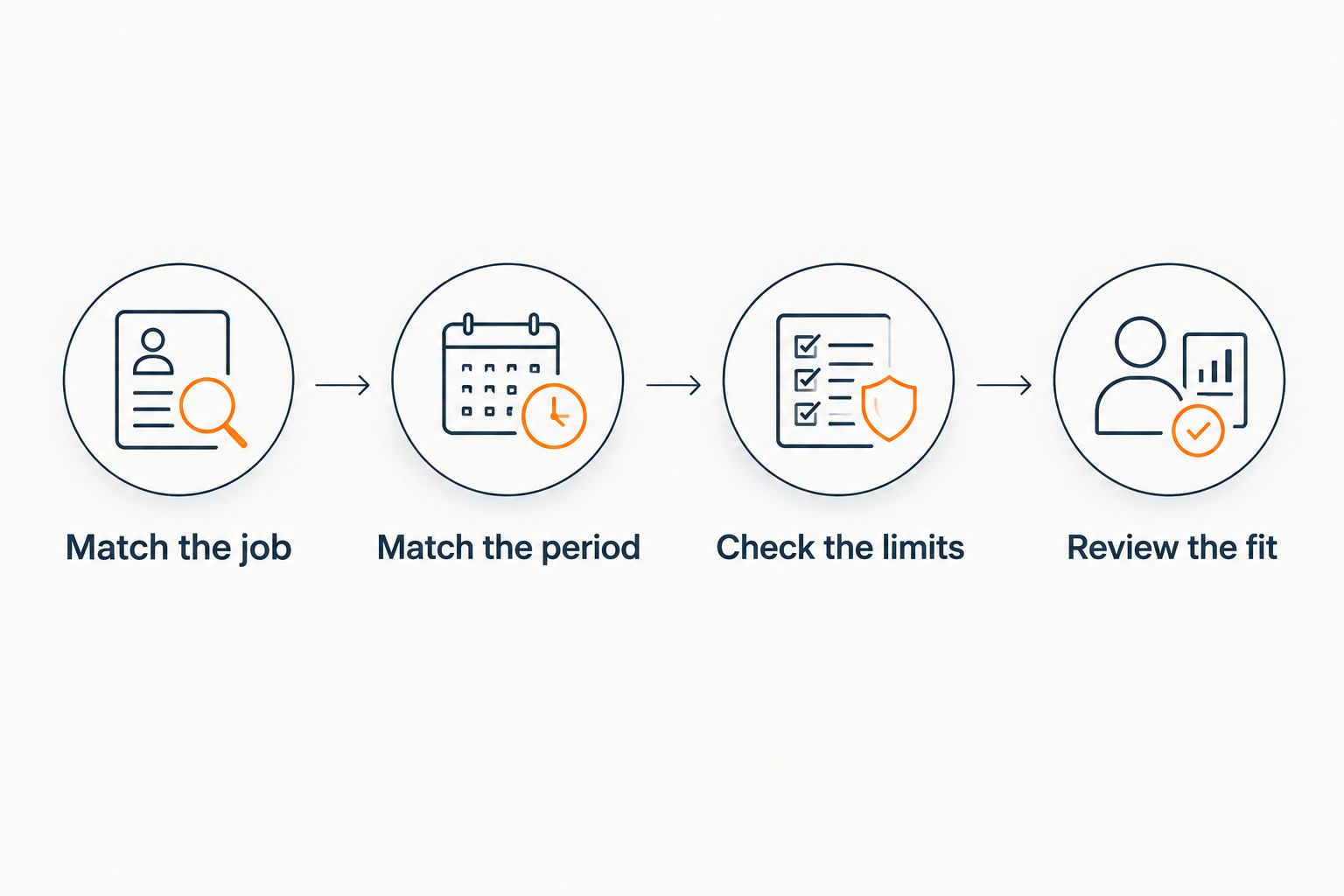 Four steps for comparing an app's purpose, billing period, limits, and personal fit.
Compare the same job and billing period before choosing an app.
Use a small evaluation, not a complete life overhaul
For your 2026 comparison, keep the evaluation narrow. These are suggested exercises, not treatment instructions or claims about how quickly an app works:
- 5 minutes: Explain one current difficulty and assess whether the interaction feels understandable and relevant.
- 1 task: Ask for help with a real task, then check every suggestion against what the task requires.
- 7 days: If you choose to evaluate ongoing use, review whether the app fits your routine without creating unwanted pressure.
Write a brief note after each use. Record what you needed, what the app provided, and whether you used the result.
An app does not need to handle every part of your life to have a clear role. It does need boundaries you understand.
Which ADHD support option should you choose?
Choose Lovon when your main goal is voice-based emotional support. Choose a task-breakdown assistant when you need a concrete starting action, or a planning assistant when you need to arrange known commitments.
If you are undecided, name the problem you want help with before choosing an app. That is the default recommendation—not adding another tool just because it appears in a ranked list.
When difficulties persist, affect daily functioning, or raise questions about diagnosis or treatment, speak with a qualified clinician. Apps can occupy a supporting role without becoming your entire support system.
One last thing
Make your stopping rule before you choose your app. Decide what would tell you the tool is creating more work, pressure, or confusion than support.
You do not owe an app continued use because you spent time setting it up. Keep the tool accountable to your needs—not the other way around.
Related guides
How AI Support Helps You Heal
AI emotional support isn't about replacing human connection — it's about filling the gaps. The moments when you need to talk at 2 AM, when you don't want to burden your friends again, or when you simply need someone to listen without judgment.
Here's what happens in a typical Lovon session:
You share what's on your mind
There's no script, no intake form, no waiting room. You speak or type whatever you're feeling — in your own words, at your own pace.
Lovon validates and explores
Using frameworks from CBT (Cognitive Behavioral Therapy) and motivational interviewing, Lovon acknowledges your feelings first, then gently helps you explore them. No dismissive "just move on" advice.
You build coping skills together
Lovon doesn't just listen — it actively works with you on evidence-based techniques: thought reframing, urge surfing, behavioral experiments, and more.
What a Session with Lovon Looks Like

Lovon is AI support, not a replacement for professional care. If things have been hard to get through for weeks, or you are thinking about harming yourself, talk to a doctor or a licensed therapist.
Ready to Start?
Your healing journey can begin right now
A 3-day trial. No judgment. Just a safe space to process what you're going through.
Frequently Asked Questions
What's the cheapest ADHD coaching app in 2026?
Is Lovon an ADHD coach or a therapist?
What's the best type of app if I cannot start a task?
Is a planning assistant better than an emotional-support app?
Can an app diagnose ADHD or replace medication?
What should I check before sharing personal information?
What if I need urgent mental health help?
About the Author

The Lovon Editorial Team
Mental Health & Wellness Content Team
The Lovon Editorial Team develops mental health and wellness content designed to make psychological concepts accessible and actionable. Our goal is to bridge the gap between clinical research and everyday life - helping you understand why your mind works the way it does and what you can do about it....
Related articles
- Best AI apps for caregiver burnout in 2026
Compare the best AI apps for caregiver burnout. Choose Lovon for voice support, or a writing assistant for practical…
- Mental health app for warehouse workers: complete 2026 guide
Choose a mental health app for warehouse workers that fits safe breaks and privacy. Compare voice support, self-help…
- Lovon vs Freudly: which is better in 2026
Lovon vs Freudly compared for 2026: voice-first AI support against what to check on Freudly, with a side-by-side table…
- Best AI apps for shift workers in 2026
The best AI apps for shift workers: Lovon for voice support, plus picks for planning, messages, and notes. Compare uses…
See also
Quizzes
- Shame Test: Do You Read Mistakes as Verdicts?
See which exit your shame takes, in 3 minutes.
- Defense Mechanisms Test: Which Ones Do You Use Most?
See what your defenses do with hard feelings, in 3 minutes.
Free tools
- Brain Dump
Set two minutes, write every task, worry and half-thought on your mind, then sort each line into a pile. You leave with…
- AI Life Coach
This is a free AI life coach you can use right on this page. Tell it where you feel stuck or what you are deciding, and…
From the wiki
- What to do if you have no friends?
Pick one activity that repeats weekly with the same people, and go for six to eight weeks straight. Repetition, not…
Disclaimer: This article is for informational purposes only and does not constitute medical advice, diagnosis, or treatment. Always seek the advice of your physician or other qualified health provider with any questions you may have regarding a medical condition. If you are in crisis or think you may have an emergency, call 988 (Suicide & Crisis Lifeline) or go to the nearest emergency room. Outside the US? Find a crisis line in your country.